
Numera
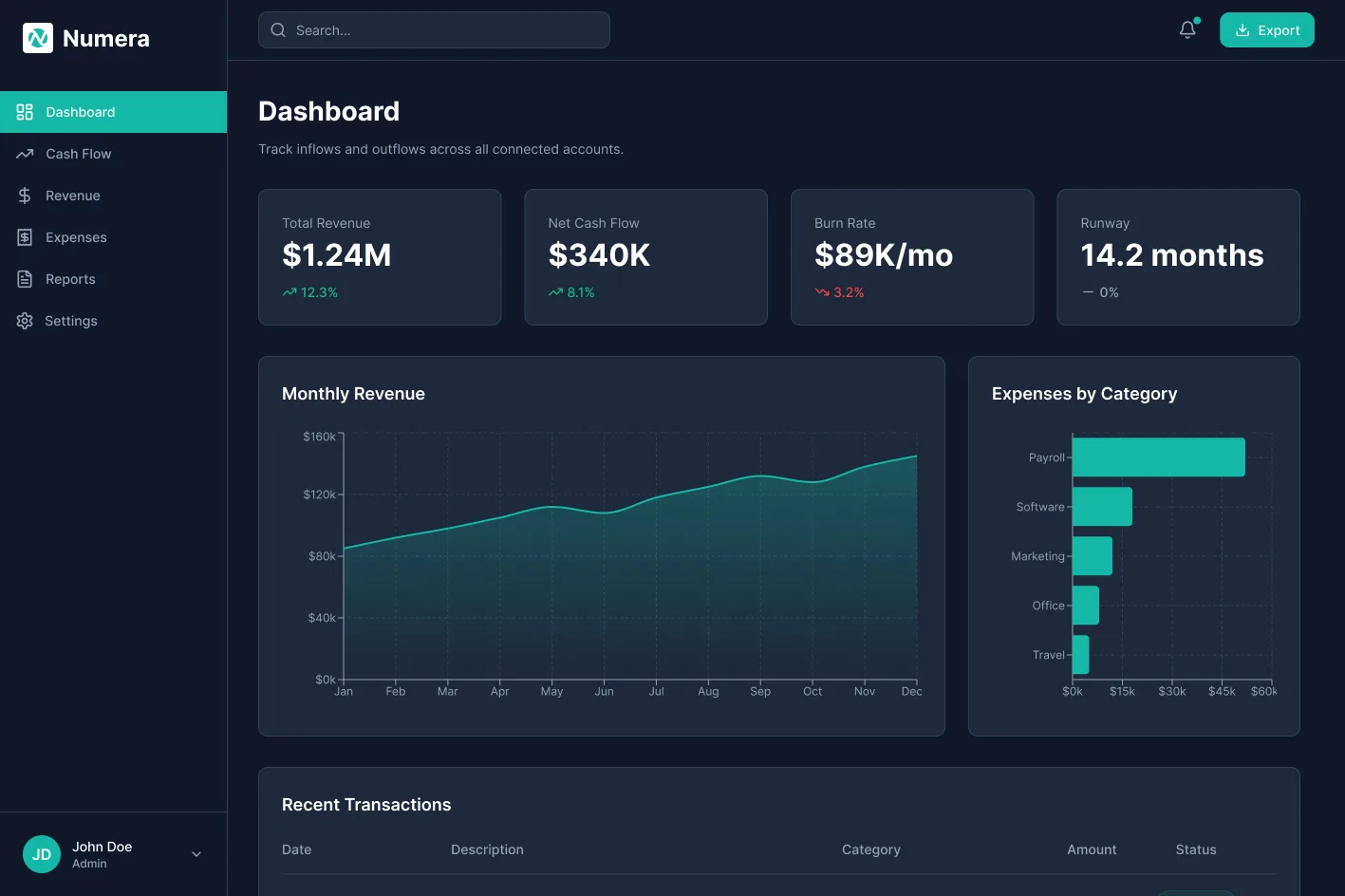
A fintech operations dashboard built around one question: how should the same screen behave for an analyst at 8am and an executive at 5pm. Different reading speeds, different decisions, same data.
- Type
- Concept project
- Role
- Product designer
- Timeline
- 6 weeks
- Scope
- End to end, from dashboard to onboarding and tablet layout.
- Tools
- Figma, FigJam
- Evidence
- Desk research and design rationale. No usability testing and no live data.
- Given and designed
- Given: a brief for a dashboard serving two user types. Designed: research, information architecture, 12 screens and the component library. Concept project, no existing brand.
Context
Where mid market teams sit
Mid market finance teams of 50 to 500 people sit between tools made for accountants and tools made for startups. Cash flow, forecasting and expenses live in separate places, and answering where do we stand takes hours every week.
Problem
The gap is perspective
The established tools, QuickBooks, Xero and Sage, show ledger detail at the cost of the bigger picture. A CFO checking burn rate before a board call should not have to rebuild the answer from raw data. The gap is not features. It is perspective.
The brief: answer Are we healthy? the moment the page loads, without training, while keeping the depth a finance manager needs every day. One product, two users.
Competitive review
What the leaders do well
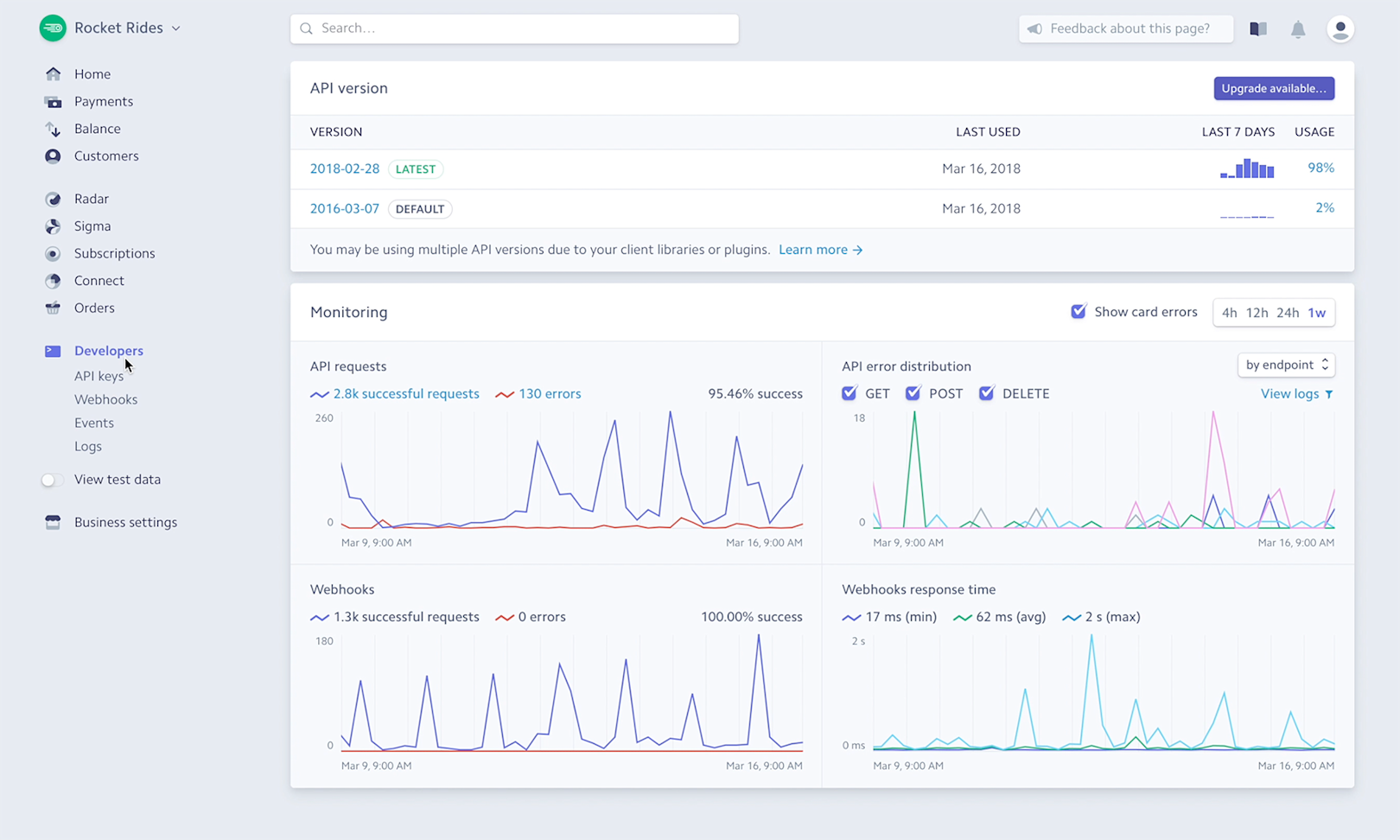
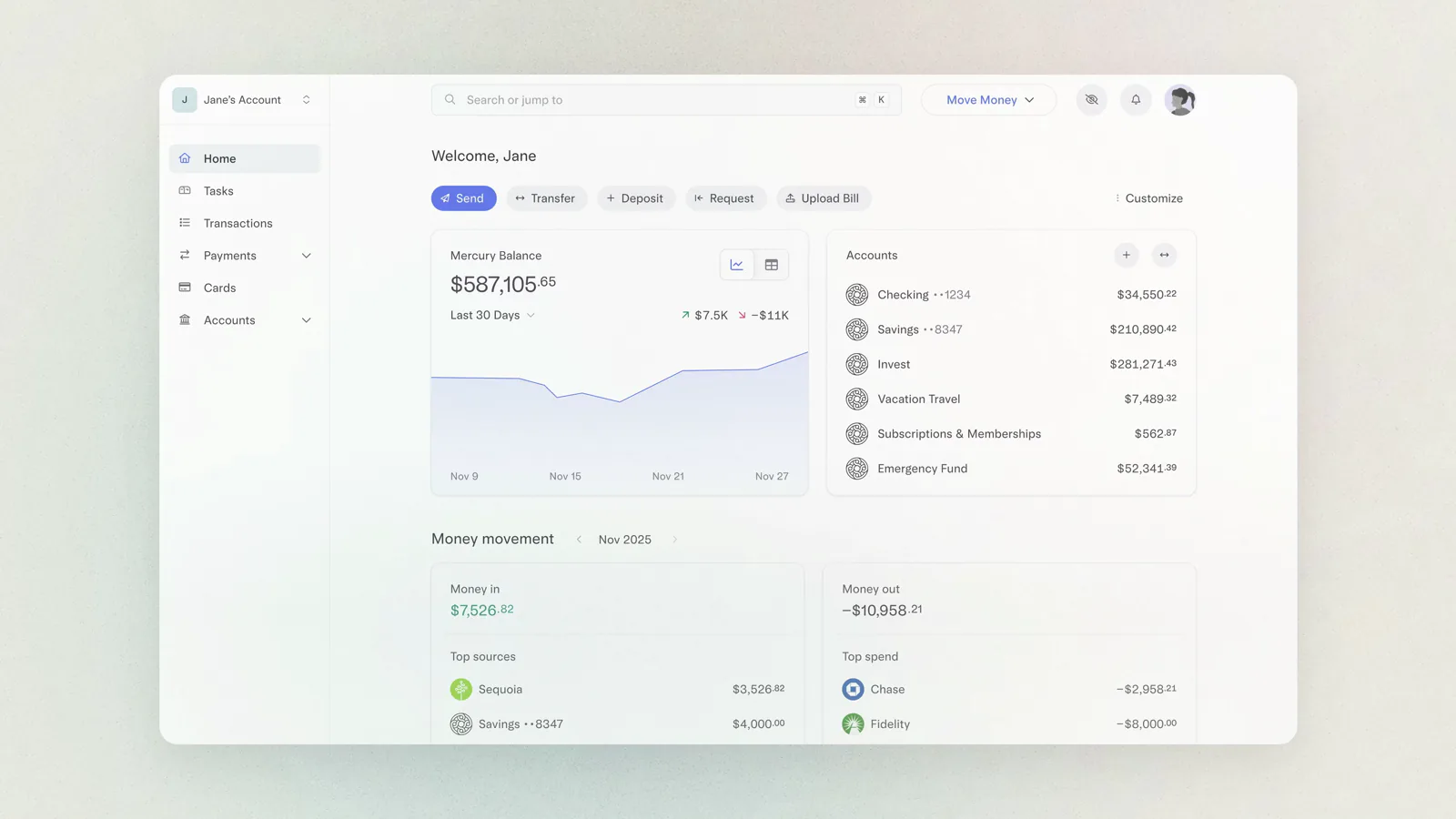
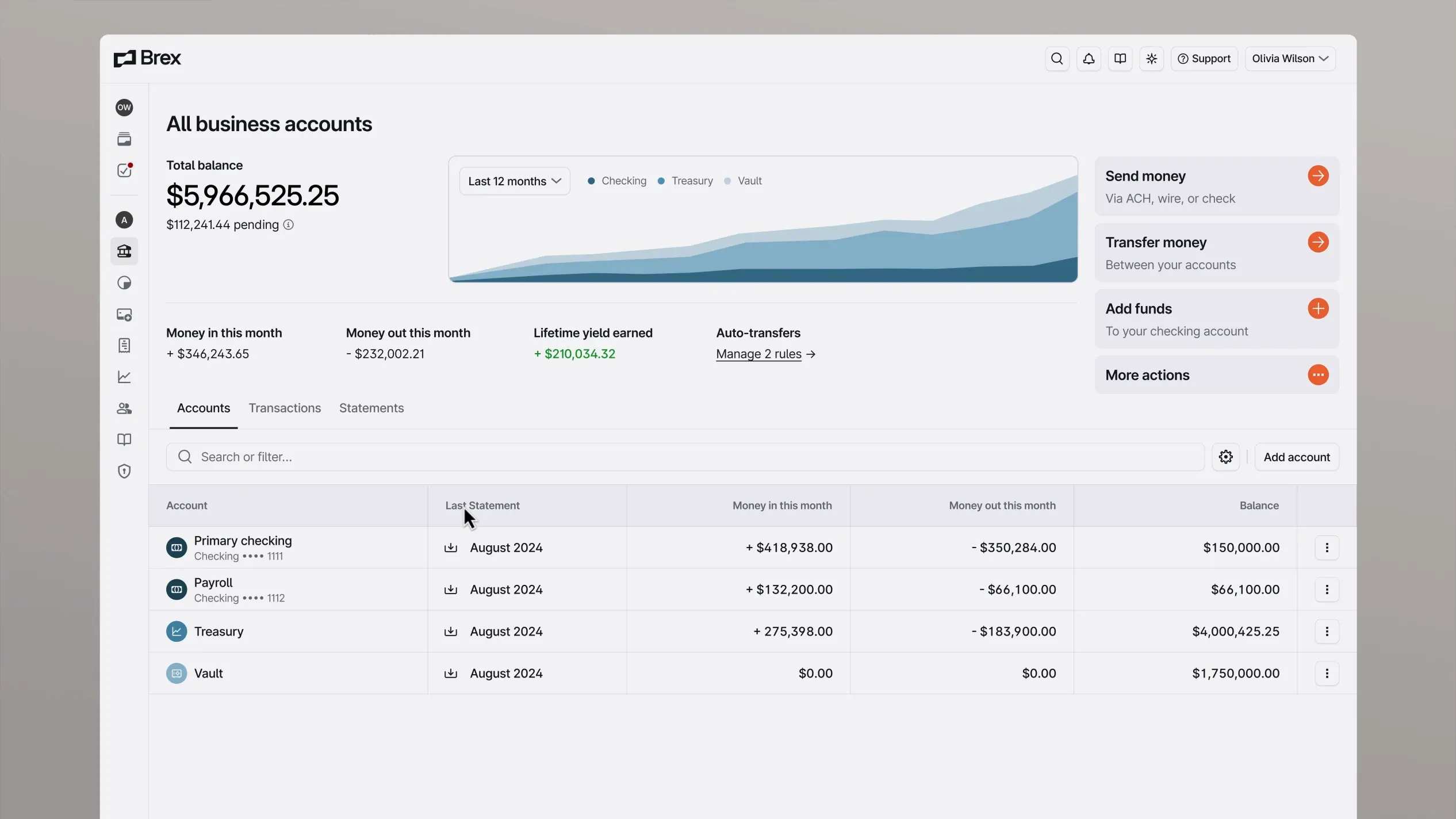
I looked at Stripe Dashboard, Mercury, Brex and QuickBooks to see what each does well and where it falls short for finance leaders who need the strategic view.
Stripe Dashboard
Developer first. Clean visual language and real time data, but built for payment ops, not finance strategy.
Mercury
Best in class visual clarity and balance visibility. Strong for early stage, but limited forecasting and reporting depth.
Brex
Good spend visibility and policy controls. Dense navigation structure creates orientation challenges for new users.
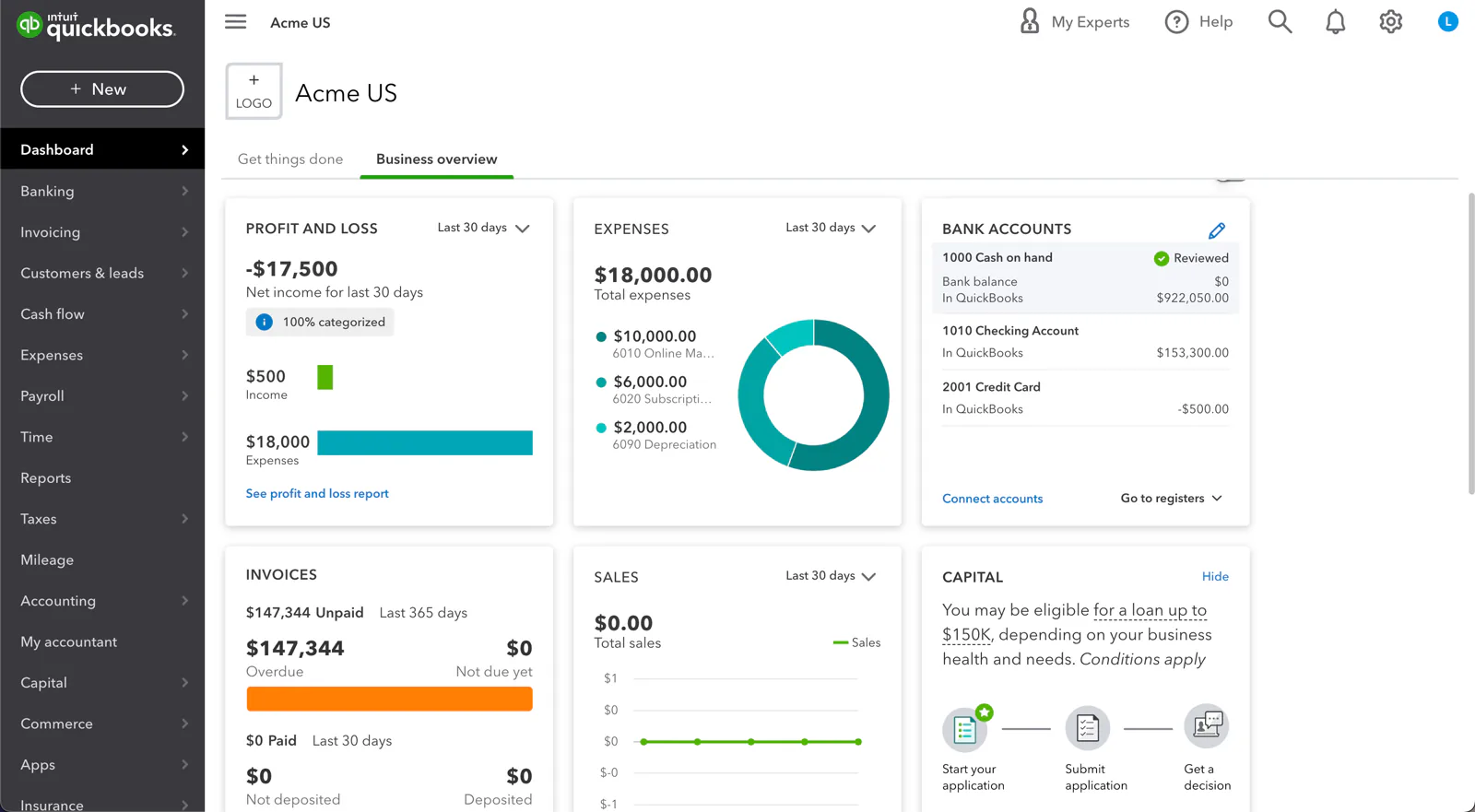
QuickBooks
Feature rich and accountant optimized. High cognitive load for non accounting users. Weak on executive level summary.
People
Two users, one product
Two composite personas built from desk research. They are not interview subjects. Their figures and quotes are illustrative.
Needs board ready numbers in two clicks.
Blocked by tools that need accounting knowledge.
"I don't need to see every transaction. I need to know if we're on track before I open my laptop in the morning." Illustrative
Read more
Background10 years in finance, previously VP of Finance at two Series B companies. Manages investor relations, board reporting, and long range planning. Attends 3 board calls per month.
Primary goalBoard ready data in 2 clicks. Runway and burn rate above all else. These two numbers tell her whether this quarter's strategy needs to change before the next slide deck is built.
Pain points- Spends 45+ minutes per week manually pulling numbers into board decks
- Current tools require accounting knowledge to extract executive level insight
- No single view of cash position, forecast, and actuals in one place
Needs speed and accuracy in transaction processing.
Blocked by tools that scatter payment status and slow the weekly report.
"If it takes more than two clicks to fix a category, I'm going to make a mistake eventually. It's not a question of if." Illustrative
Read more
Background5 years in operations finance. Handles day to day bookkeeping, vendor invoicing, and expense categorisation. Processes an average of 247 transactions per month. Reports directly to the CFO.
Primary goalSpeed and accuracy of transaction processing. Every miscategorised expense creates downstream problems in the report his CFO presents to the board. He needs to categorise fast and trust the result.
Pain points- Recategorising a single expense takes 3 modal interactions in current tools
- Vendor payment status is scattered across email threads and the bank portal
- Preparing the Friday report takes 2 to 3 hours of manual data assembly
Times and click counts here are illustrative.
Log in to bank portal, export CSV, paste into master spreadsheet, rebuild weekly cash position manually.
3 different logins. CSV formatting changes without warning. 20 minutes before any real analysis begins.
Cash position, runway, and weekly delta visible on load. No CSV exports. No clicks needed.
Open each transaction, determine correct cost centre, navigate to category modal, select, save. Repeat 50 to 80 times.
3 clicks per transaction. Modal closes after each save. Context is lost between entries. Misclicks are common.
Inline category dropdown. 1 click per transaction. Table stays open. Bulk editing for recurring vendors.
Pull data from bank, accounting tool, and payroll. Merge into slide deck. Check figures against prior week. Send to CFO.
Data from 3 sources with different refresh times. Manual reconciliation. High risk of version errors sent to leadership.
One click report export. All data live and pre reconciled. Consistent format the CFO can share directly.
Structure
How the product is organised
Five areas: dashboard, expenses, reports, forecast and integrations, plus settings.
Decisions
Four decisions that shaped the product
-
01
Dark surface
Finance tools are used in long sessions, from early runway checks to late month end closes. A dark surface reduces eye strain and lets charts hold contrast. The accent was chosen for visibility on dark backgrounds and kept apart from the greens used for positive states.
-
02
KPI cards above the fold
The four numbers that matter most sit above the fold: cash balance, monthly burn, runway and MRR, each with its change against the prior period. The answer registers before the number is fully read. This follows from the CFO persona, whose first question is always whether the company is on track.
-
03
Inline expense editing
In the tools I reviewed, recategorising one transaction took three to five actions and a modal. An inline dropdown in the table row makes it one click, and the table stays open. For a finance manager handling around 250 transactions a month, that means far less switching between screens.
Before · 5 interactions- Click transaction row to open
- Locate the category field
- Click to open modal
- Select new category
- Confirm and close modal
After · 1 interaction- Click category chip in table row
-
04
Progressive onboarding
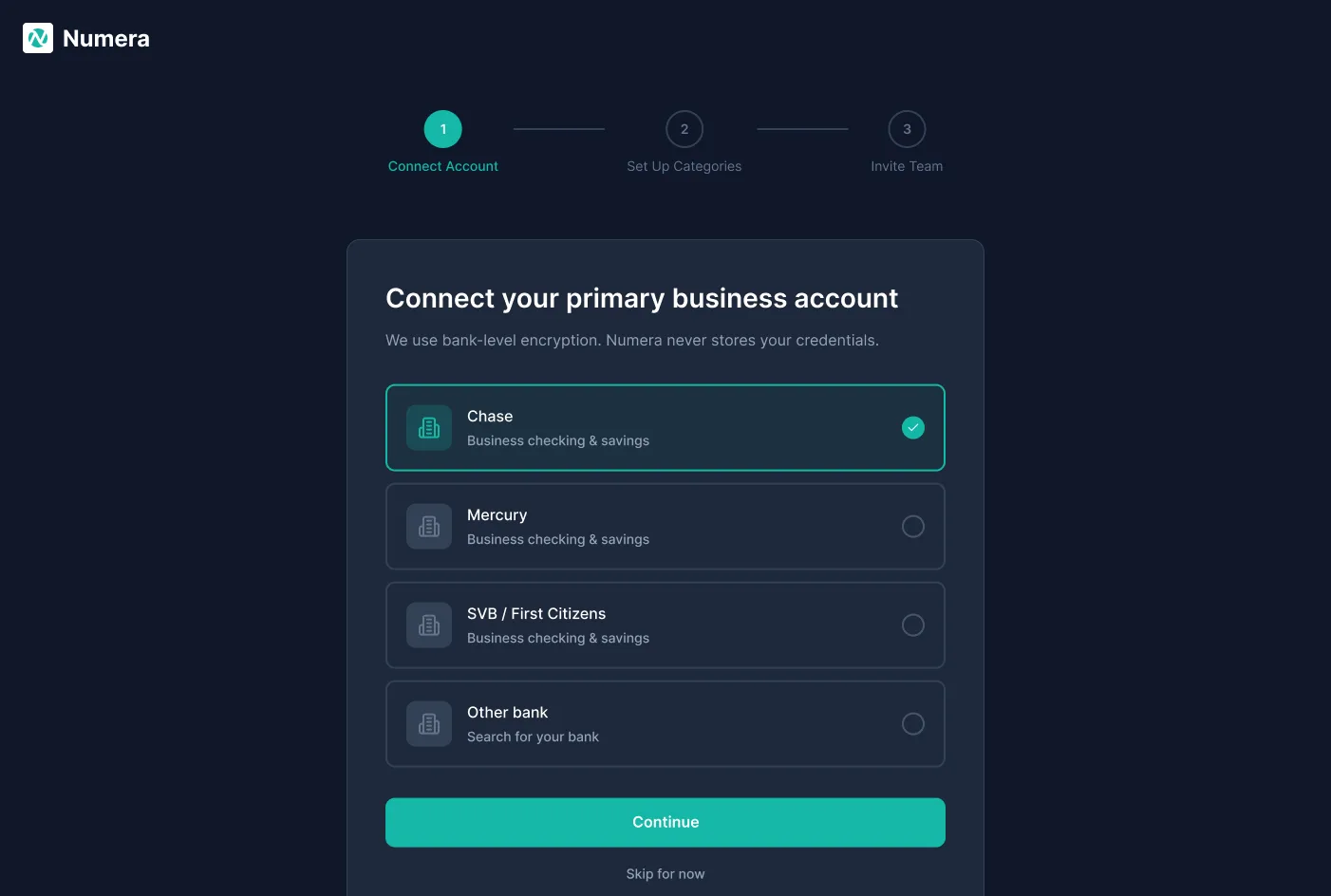
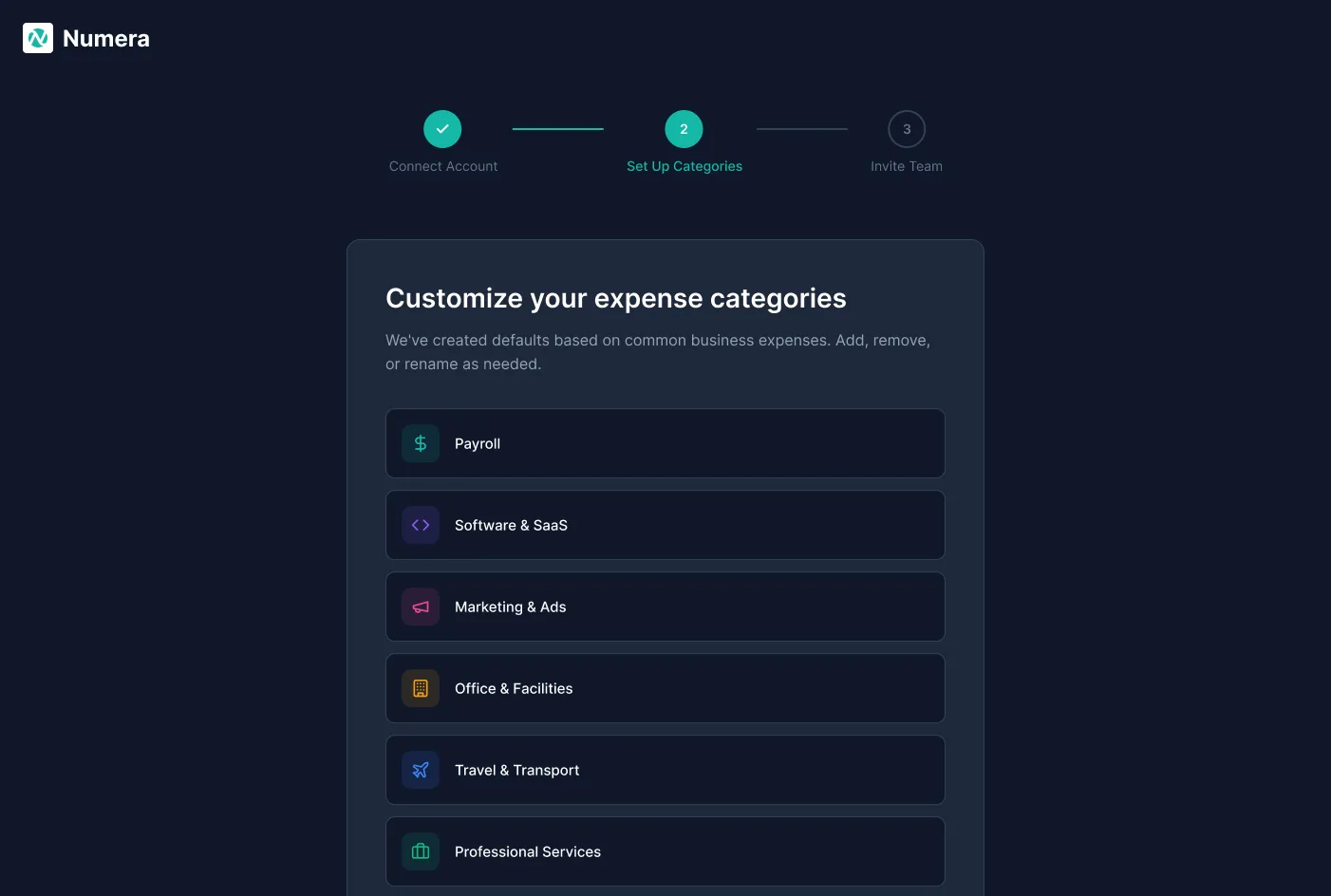
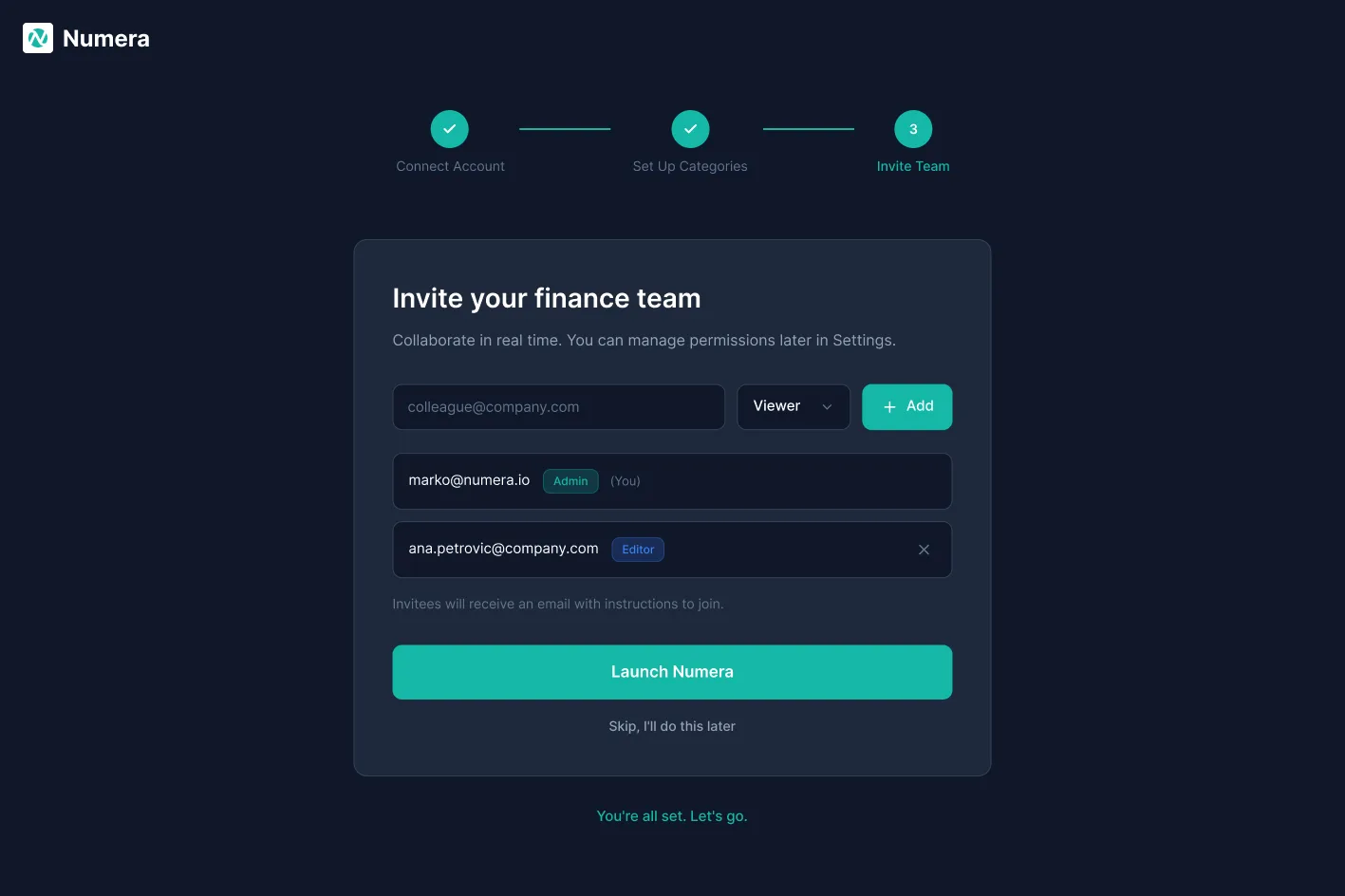
Three steps, one action each: connect your bank, set up categories, invite your team. Every step can be skipped, so explorers are not blocked and people who commit still get a full setup.
Screens
Twelve screens
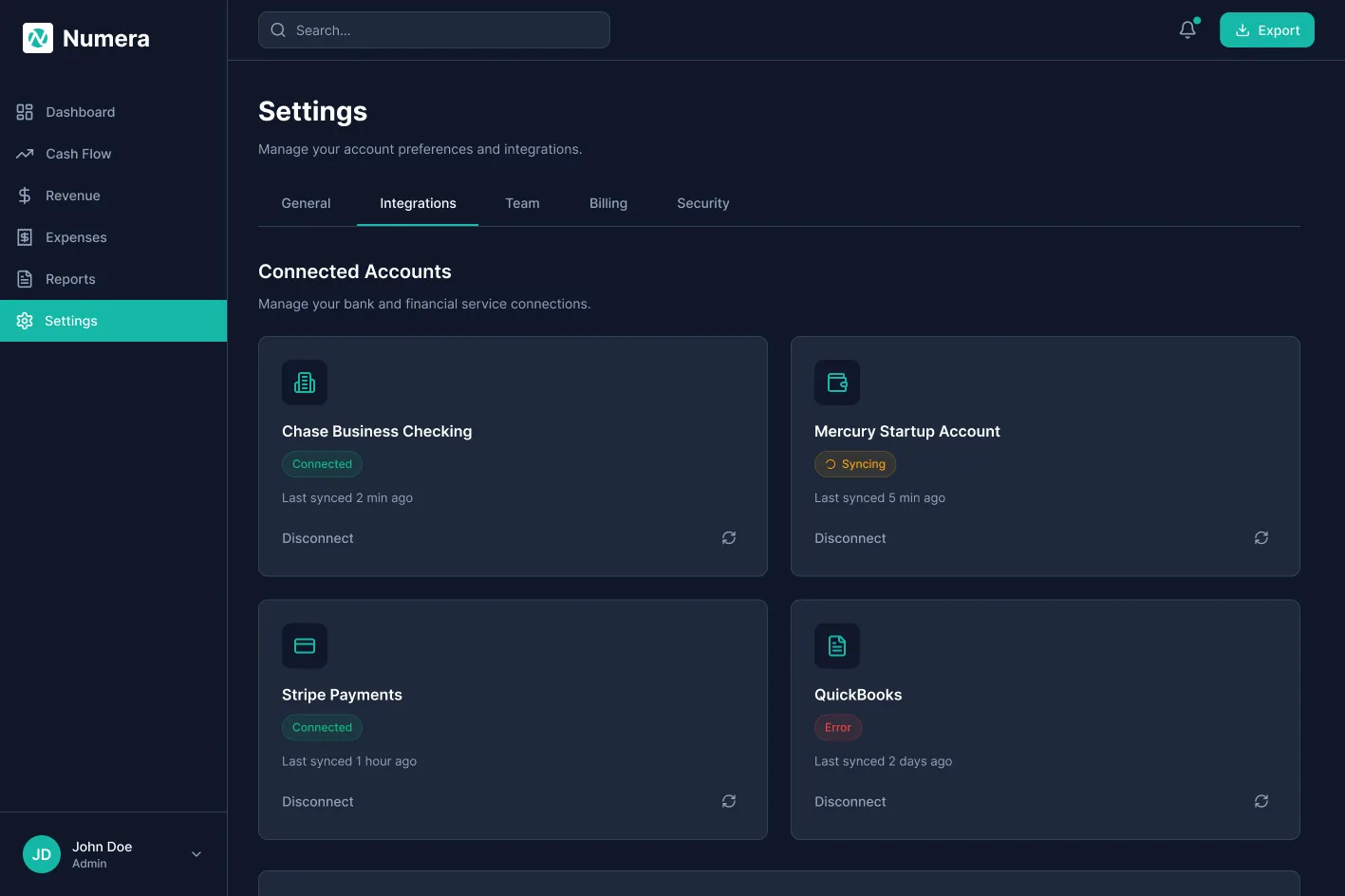
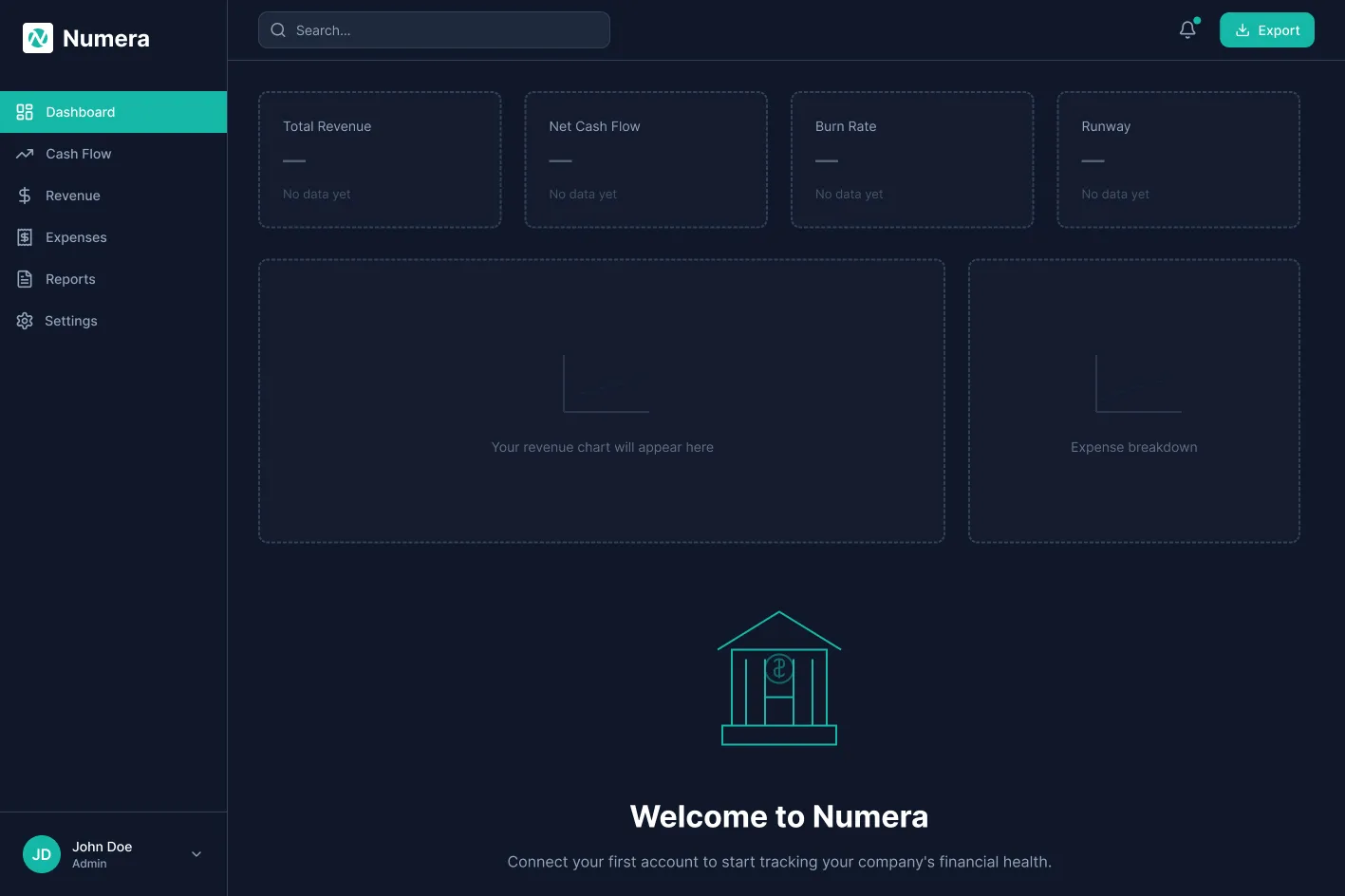
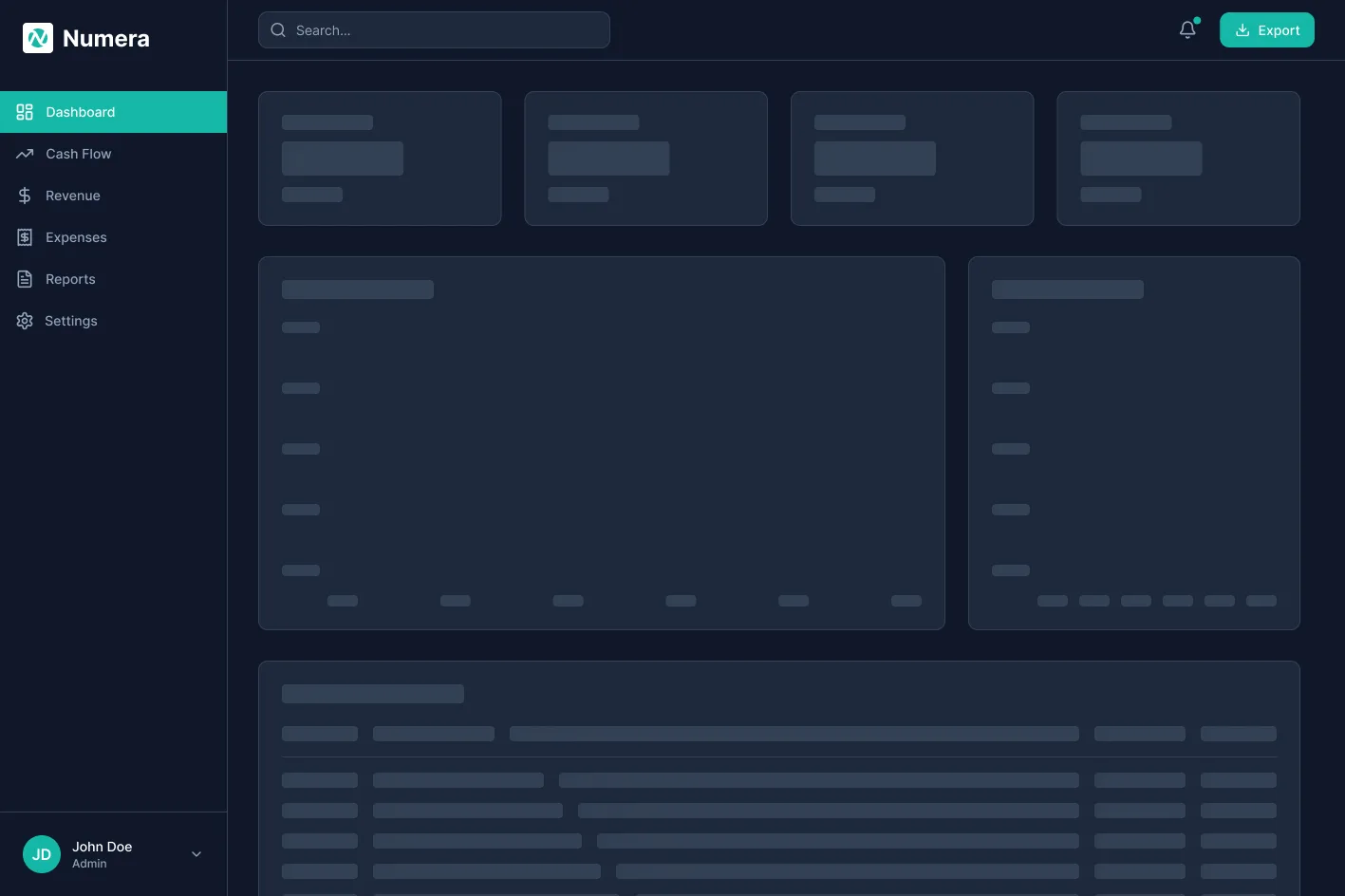
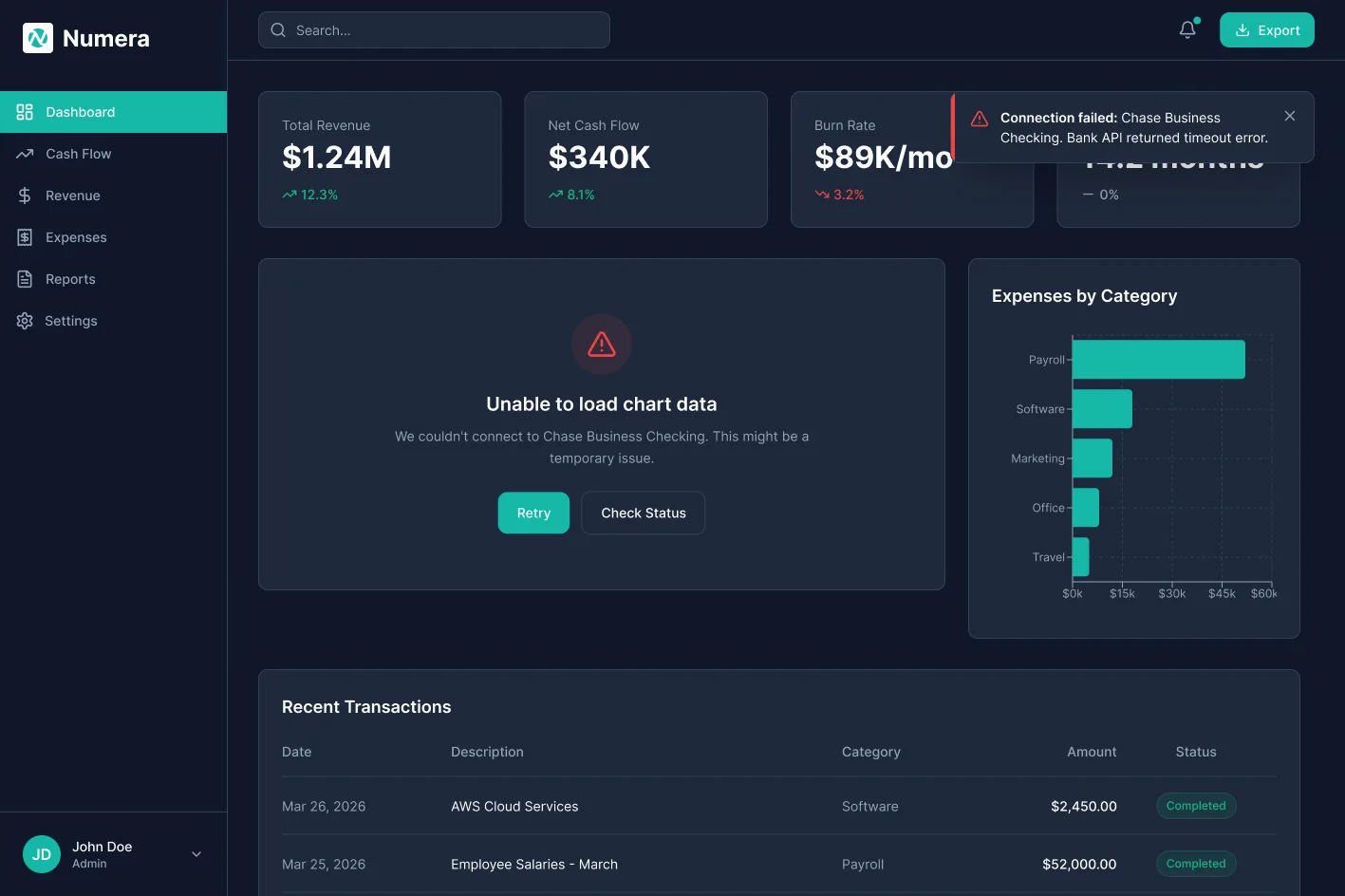
Each screen carries one decision.
Core
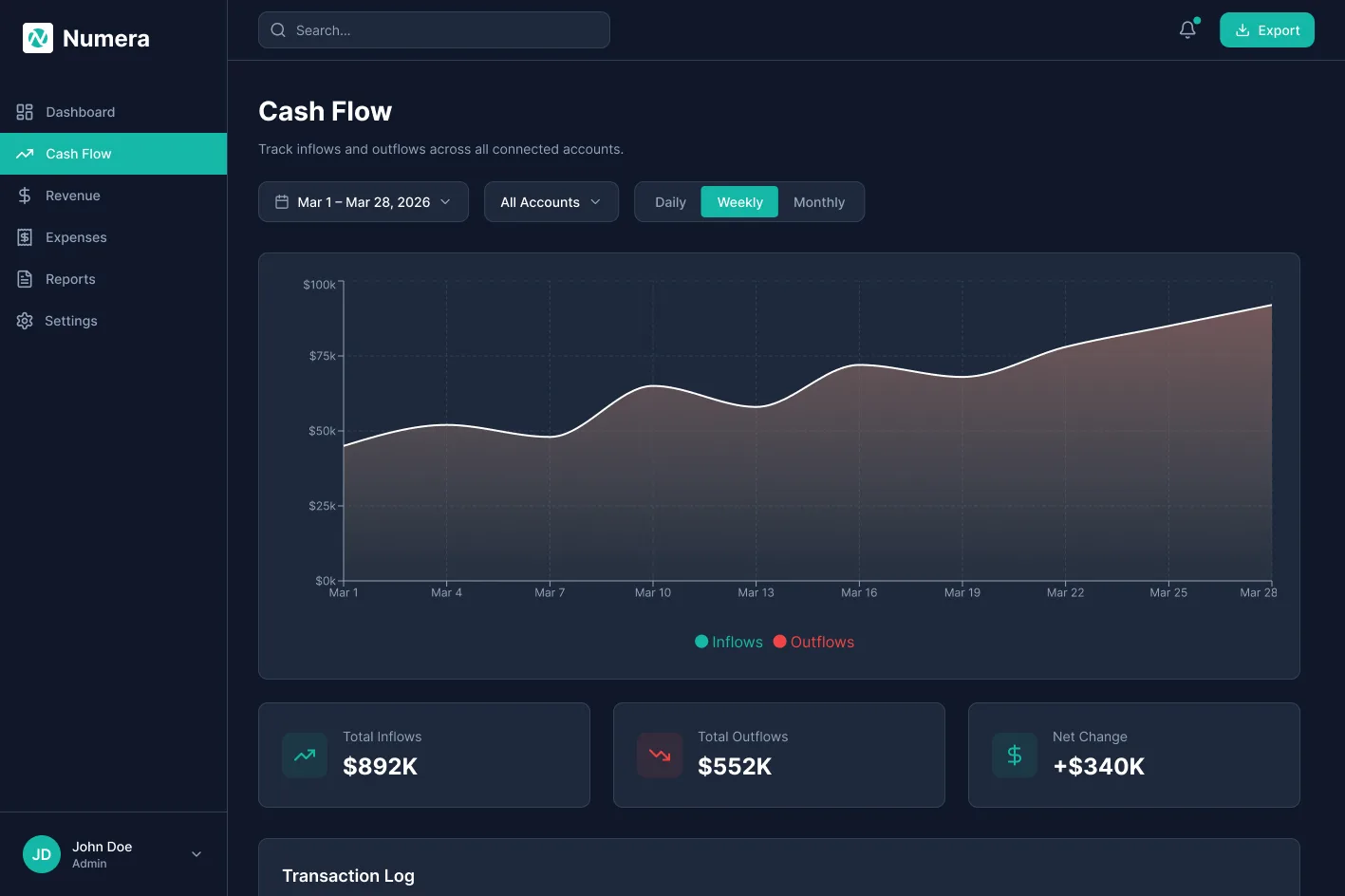
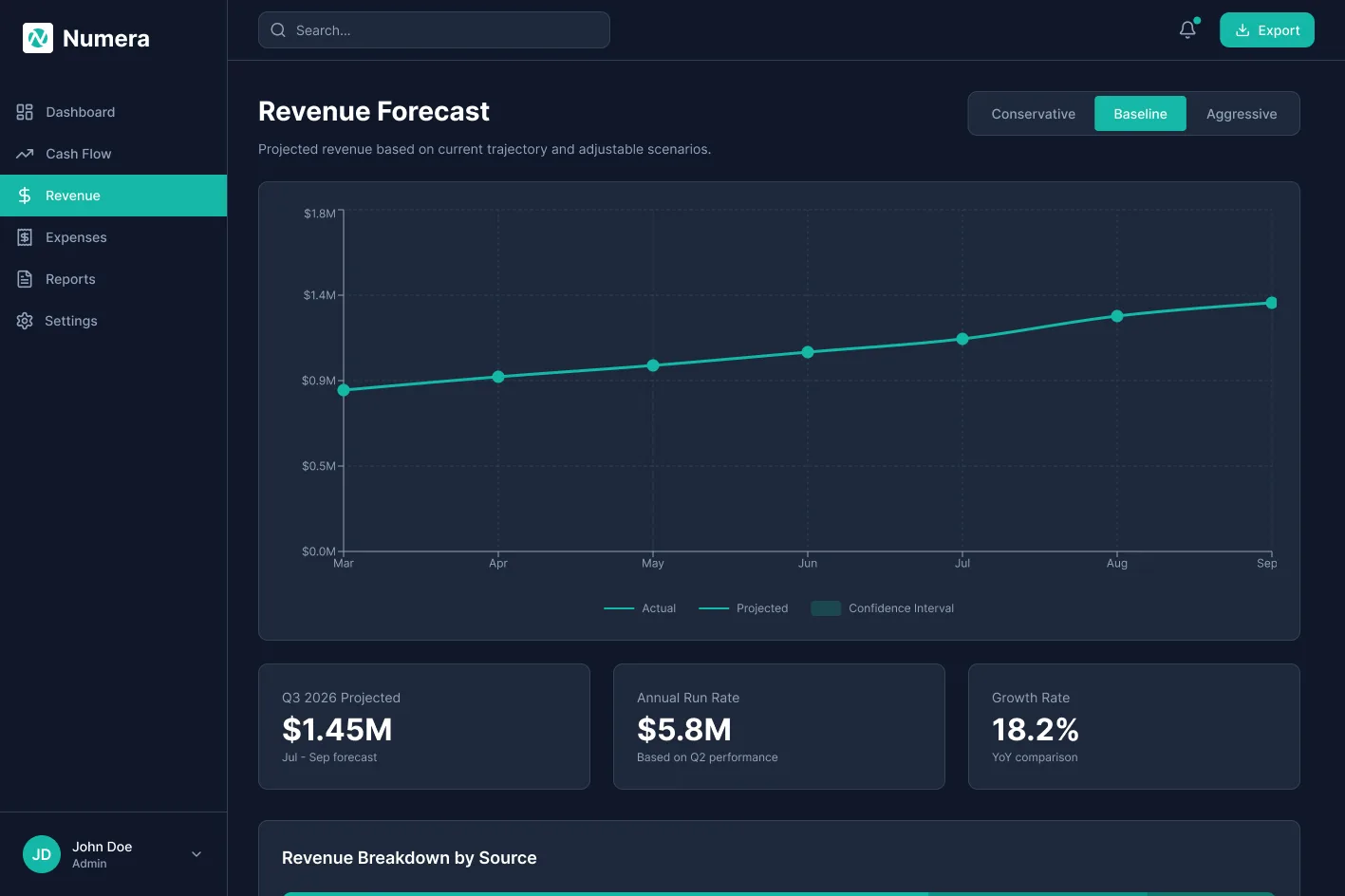
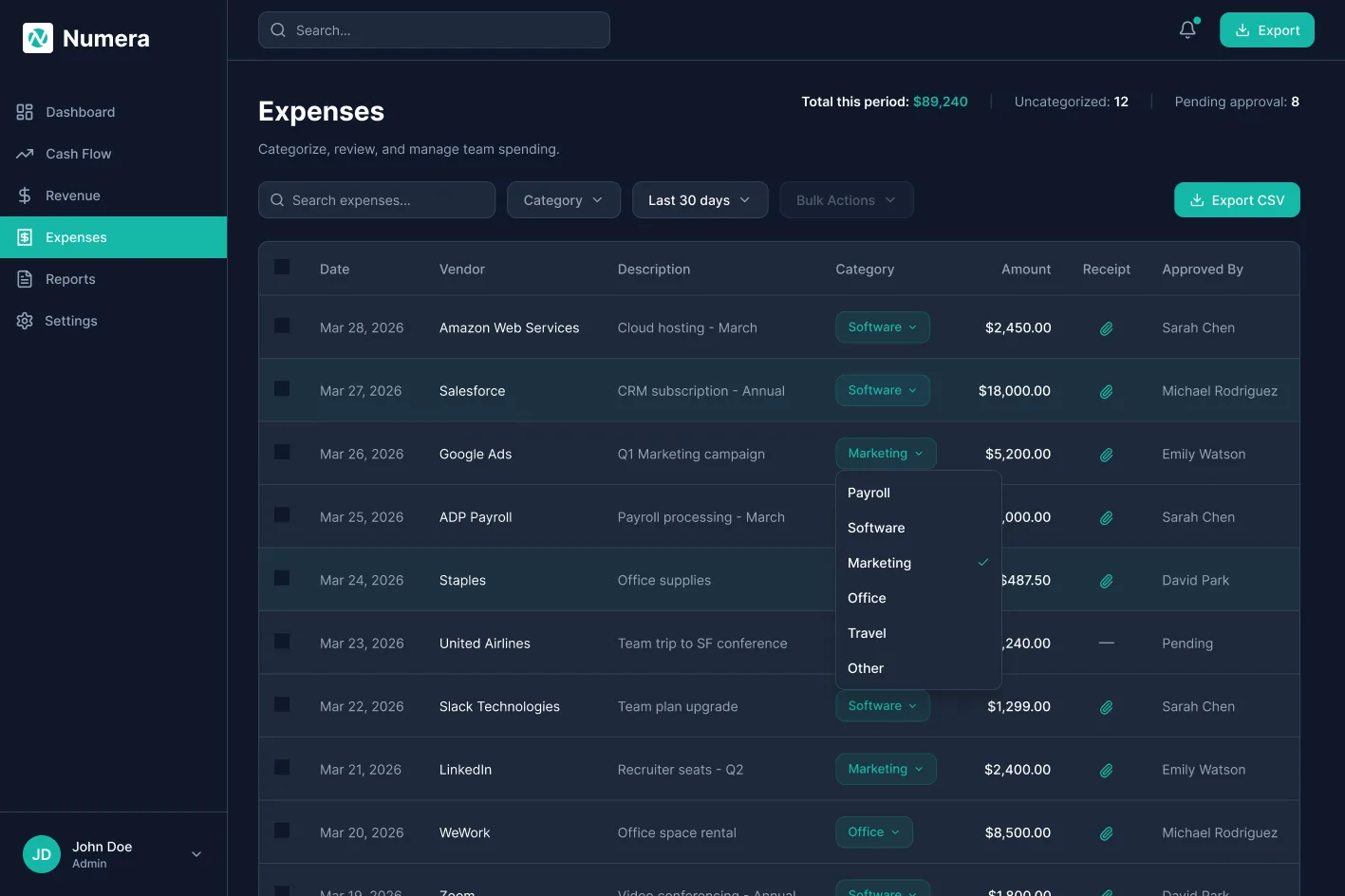
States
Onboarding
Tablet
Responsive
Desktop to tablet
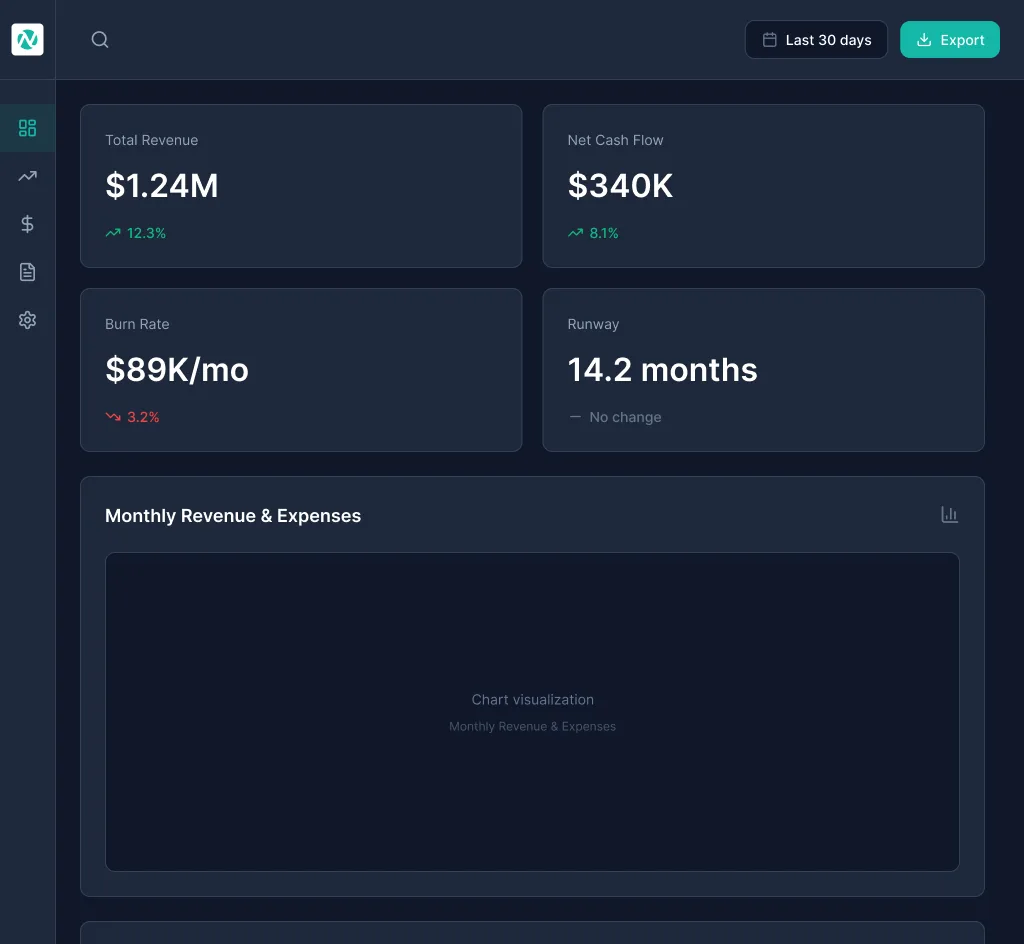
Finance decisions do not always happen at a desk. CFOs review runway numbers from a meeting room iPad, finance managers approve expenses from a tablet during travel. The tablet layout retains the full information hierarchy of the desktop view through deliberate structural adaptations, not a simple reflow of the same grid.
Desktop · 1440px · Screen 1
Tablet · 768px · Screen 12
- Persistent left sidebar with full text navigation labels and section groupings
- 4 card KPI row spans the full content width above the fold
- Revenue and cash flow charts rendered side by side in a two column mid tier
- Transaction table spans full width with all columns visible
- Sidebar collapses to an icon only rail, labels hidden, touch targets enlarged
- KPI cards reflow to a 2 by 2 grid, each retaining delta indicators and sparklines
- Charts stack vertically to full width; no information is removed, only reordered
- Transaction table prioritises key columns; secondary columns sit behind a row tap
No information loss
Every data point available on desktop is accessible on tablet. The layout adapts, the content does not shrink.
Touch targets
Touch targets are enlarged on tablet. Inline editing remains available via a tap to edit pattern.
Hierarchy preserved
KPI cards remain above the fold on tablet. The executive first priority of the desktop layout is maintained across breakpoints.
Design intent
What the design is built to do
- The key numbers are visible on load, with no navigation.
- Recategorising an expense goes from several actions to one click.
- A library of 7 core components with 35 plus variants keeps new screens consistent.
These are design targets. I have not measured them.
Reflection
What I would do differently
With more time
Usability testing with real finance managers processing live data, first. The inline editing and table density decisions carry assumptions about scanning behaviour that even three moderated sessions would sharpen considerably. I would also build proactive alerts, runway warnings and budget triggers, since the current design surfaces data reactively.
What I learned
Designing for two user types in one product is not a layout problem, it is a hierarchy problem. The temptation is two separate views. The real challenge is one layout where both users feel it was built for them, through information layering: what is visible immediately, what requires a click, what requires navigation.
Deakin Dental →
A booking flow built for the most anxious visitor in the funnel.