
Deakin Dental
A patient portal and booking flow built for the slowest visitor in the funnel. Anxious patients researching a family dentist do not need clever UI. They need calm pages and a path to a booked appointment that does not ask them to think twice.
- Role
- Product designer
- Timeline
- 8 weeks
- Scope
- End to end, from booking flow to patient portal.
- Tools
- Figma, FigJam
- Evidence
- Desk research and design rationale. No usability testing or analytics are shown on this page.
- Given and designed
- Given: the brand palette and marketing site from Phase 1. Designed: the full patient portal and three step booking flow.
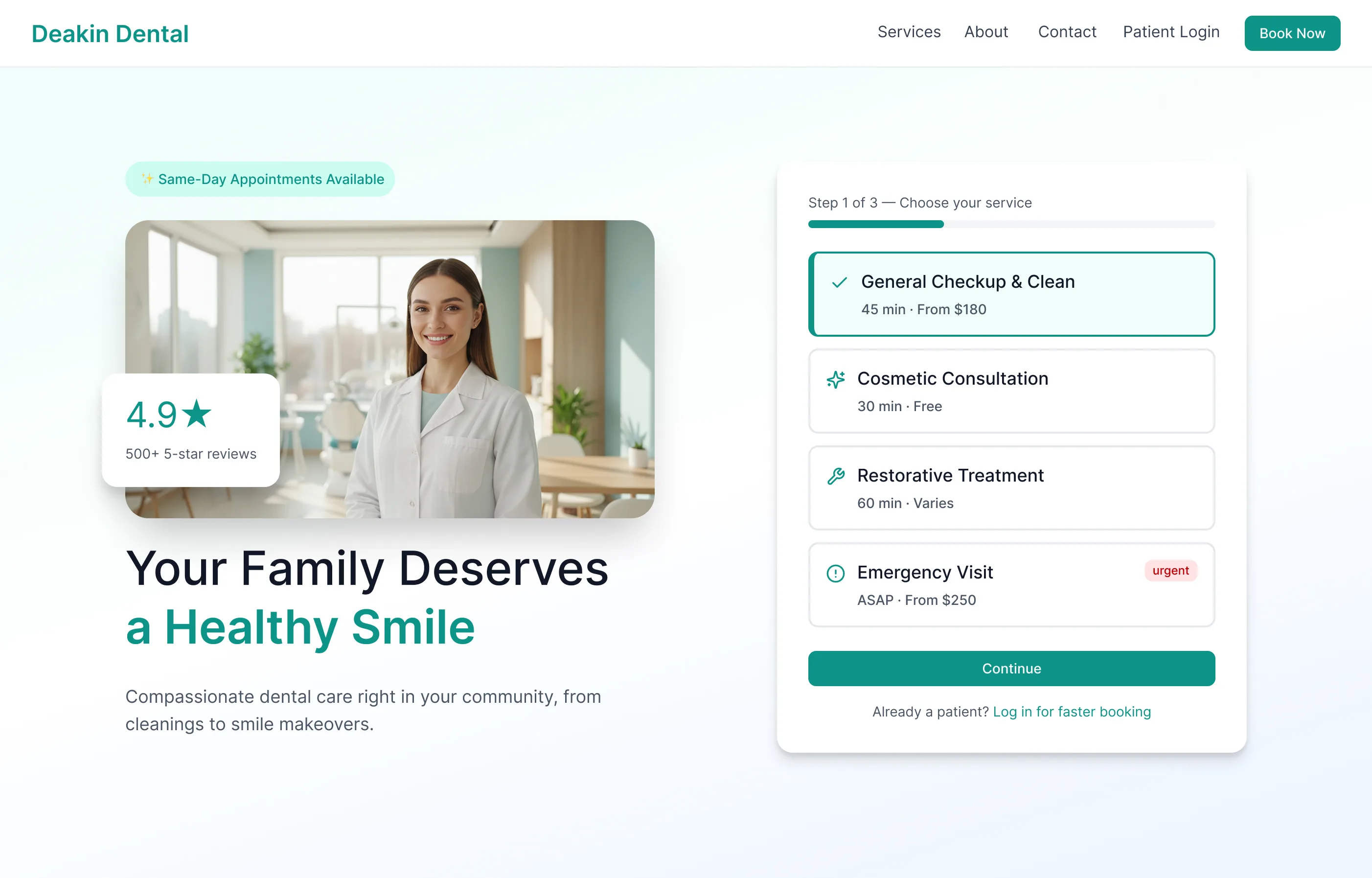
Context
Where the practice stood
A family dental practice, a marketing website that turns visitors into phone calls, and a patient base that wants to book, check treatment progress and pay without picking up the phone. The task: extend the site into a web application that works for new and existing patients without training.
The practice and its numbers below are a scenario I set myself.
Problem
The phone was ringing too much
A site that converts visitors into phone calls creates a front desk that spends much of its day on scheduling, rescheduling and routine questions. Patients have no view of their treatment between visits, so they call to ask about appointments, balances and aftercare. Medical history is collected on paper and entered by hand. Insurance claims live in spreadsheets.
The practice needed one place for booking, messages, treatment tracking and billing, and it had to carry over the calm of the marketing site.
Competitive review
What four patient portals do well
I looked at four patient portals to see where they succeed and where they fail on booking friction, information access, communication and visual design.
.webp)
MyChart (Epic)
Feature complete but overwhelming. High cognitive load for routine tasks, and a clinical look that feels impersonal.
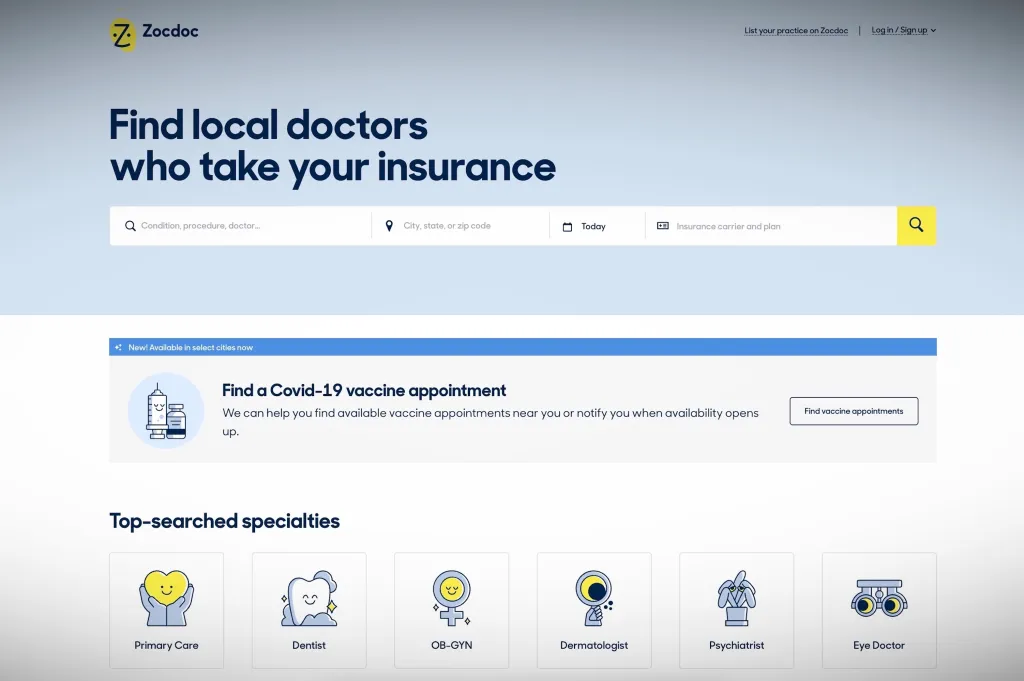
Zocdoc
Excellent new patient booking. Weak after the appointment, with no treatment tracking or direct messaging once booked.
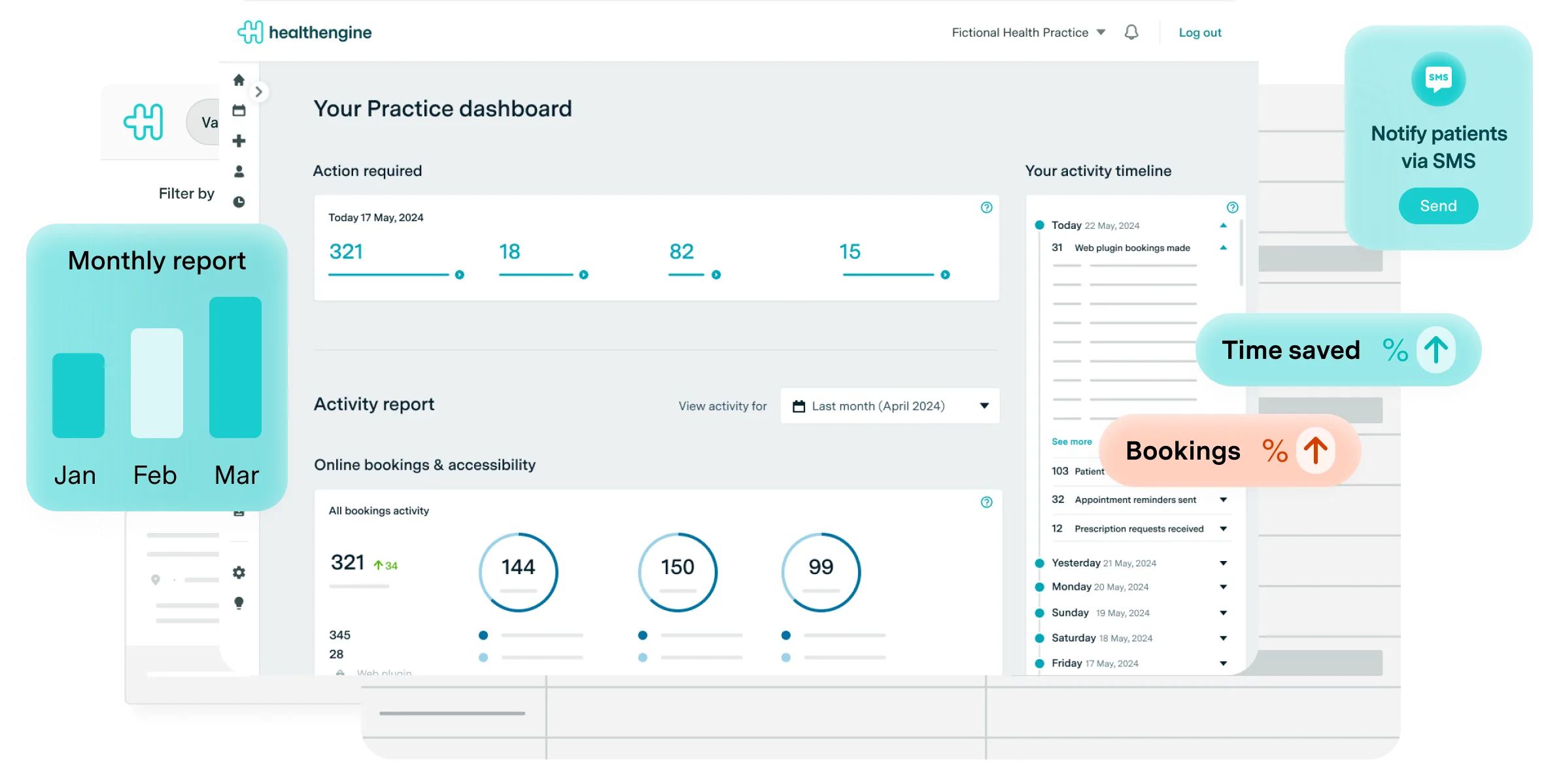
Healthengine
Strong in the Australian market. Booking friction is low, but the portal side is sparse, with little treatment history or ongoing contact.
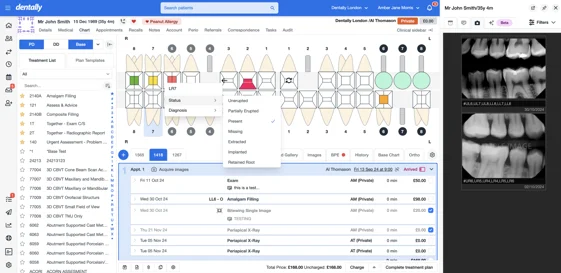
Dentally
A practice management tool with a patient layer added on. Designed for the clinic first, and patients feel the seam.
People
Two patients, one portal
Two composite personas built from desk research. They are not interview subjects, and their details and quotes are illustrative.
Needs to follow her treatment progress and pay without calling.
Blocked by updates that only come by phone.
"I want to see where I am in the treatment. Am I halfway? Almost done? I have no idea between appointments." Illustrative
Read more
BackgroundMid career professional managing a 6 month orthodontic treatment plan. Comfortable with technology. Has a penicillin allergy on file. Visits the practice every 3 to 4 weeks and wants continuity between appointments.
Primary goalSee her treatment progress, message her dentist between visits when something feels off, and pay invoices without having to call the office during business hours.
Pain points- No way to track treatment milestones between appointments without calling
- Invoice emails get buried, she can't see what's outstanding at a glance
- Minor concerns between visits go unaddressed because calling feels like an overreaction
Needs to book and see the cost before he arrives.
Blocked by practices that only take bookings by phone.
"If I have to call to book, I'm probably not booking. I'll find someone who lets me do it online." Illustrative
Read more
BackgroundSoftware developer who found Deakin Dental through a Google search. Anxious about dental visits due to a difficult experience as a teenager. Values transparency around cost and process. Avoids phone calls wherever possible.
Primary goalBook his first appointment online without speaking to anyone, understand roughly what the visit will cost before he arrives, and receive clear after visit instructions digitally.
Pain points- Most dental practices require a phone call to book, an immediate barrier
- Pricing is never visible upfront, creates anxiety about unexpected costs
- Paper forms on arrival make the practice feel disorganised before he's even seen the dentist
Journeys
Two journeys through the product
Two journeys mapped: James's new patient booking flow, from Google search to confirmed appointment, and Ana's weekly self service flow, checking her treatment plan, messaging her dentist, paying an invoice.
Times and counts here are illustrative.
New patient booking, JamesSearches "dentist Deakin ACT", finds the practice via Google Maps and the marketing site.
No clear pricing. No "Book online" call to action visible without scrolling. Uncertain if new patients are accepted.
Public booking page with a "New patient" entry point. Service descriptions with indicative pricing. No account required to start.
Tries to select a service, find an available time, and submit contact details.
Most portals require account creation before showing availability. Phone only systems stop him entirely.
Step 1: service. Step 2: date and time. Step 3: details. Three short steps. The account is created after confirmation, not before.
Receives booking confirmation and accesses his new patient portal account for the first time.
Generic "thank you" emails give no next steps. Paper forms still arrive on the day.
Confirmation email links to the portal. Digital intake form completed in advance. What to expect on the day, clearly explained.
Wants to know where she is in her treatment plan and when the next appointment is.
No way to check without calling. The printed treatment plan given at visit 1 is out of date and missing at home.
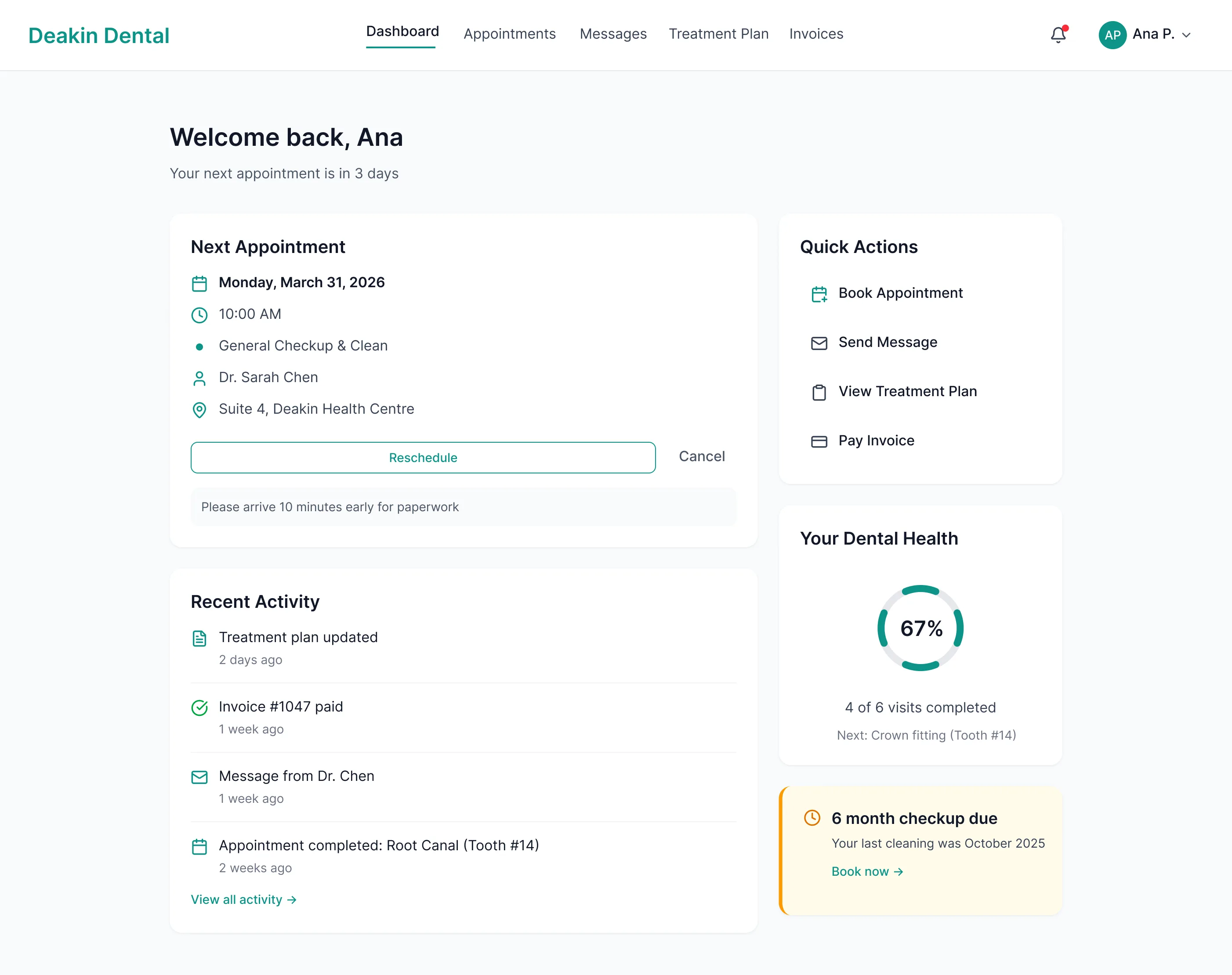
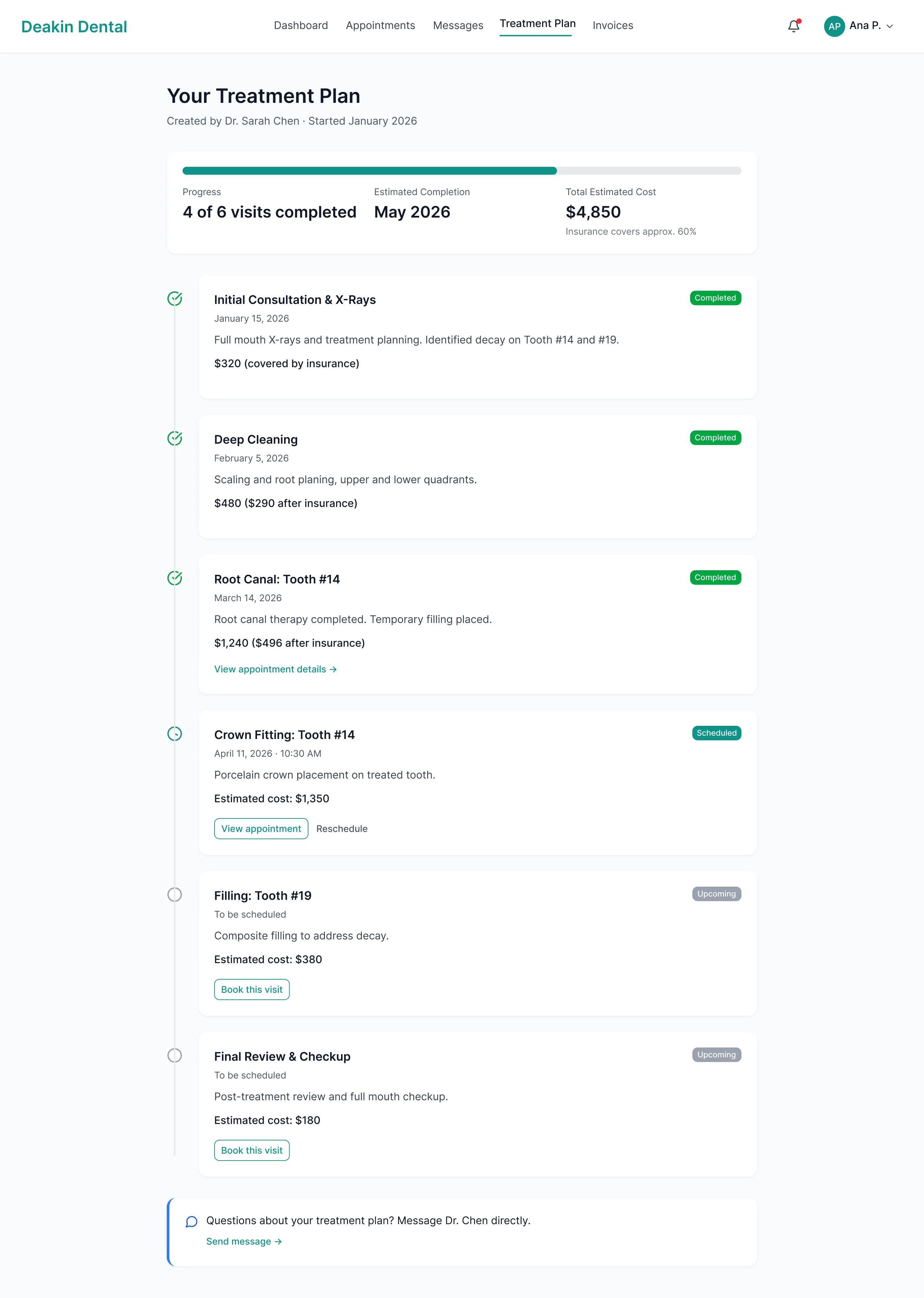
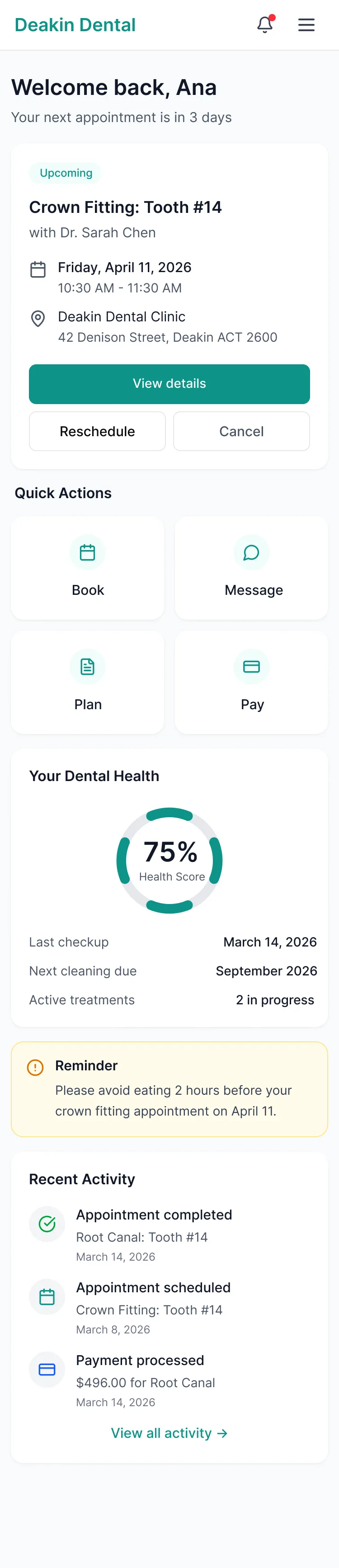
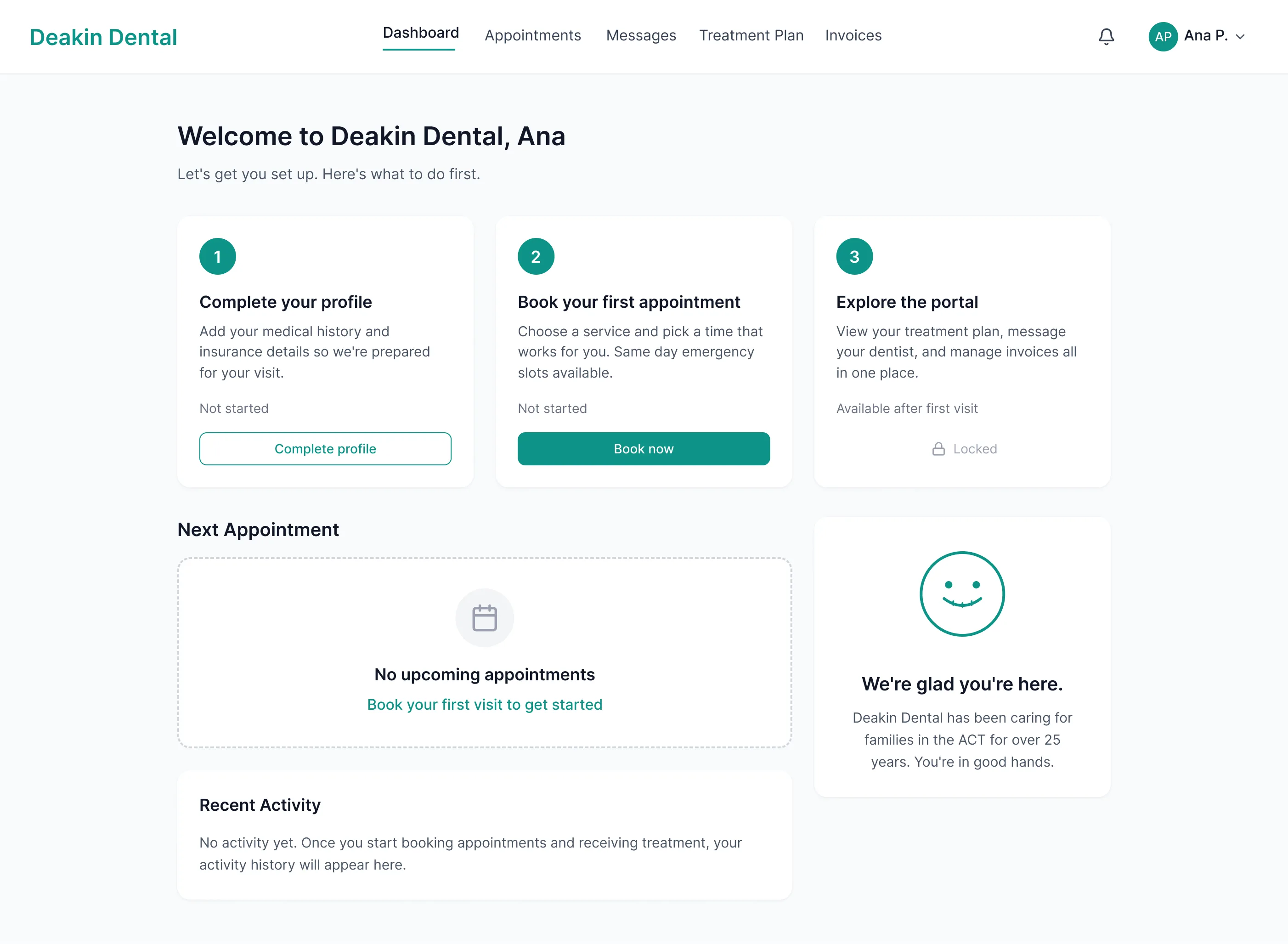
Treatment timeline on the dashboard. Visual progress indicator. Next appointment highlighted with a one click rebook option.
Notices something feels different since the last visit. Wants to ask her dentist without booking an appointment.
No way to contact the dentist directly. The receptionist is the intermediary for every communication.
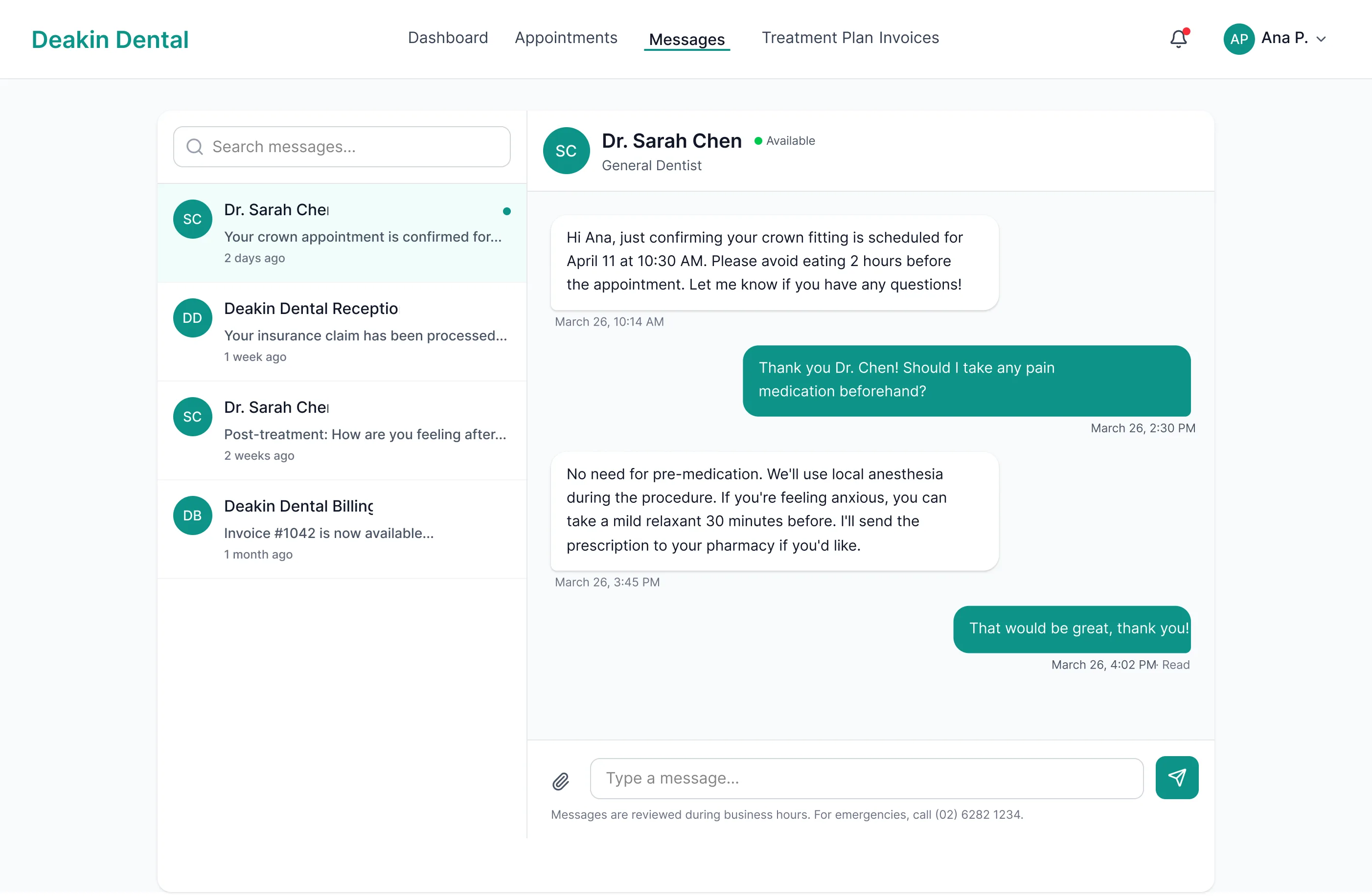
Async messaging thread tied to her patient record. Response expected within business hours. No ticket numbers, conversational tone.
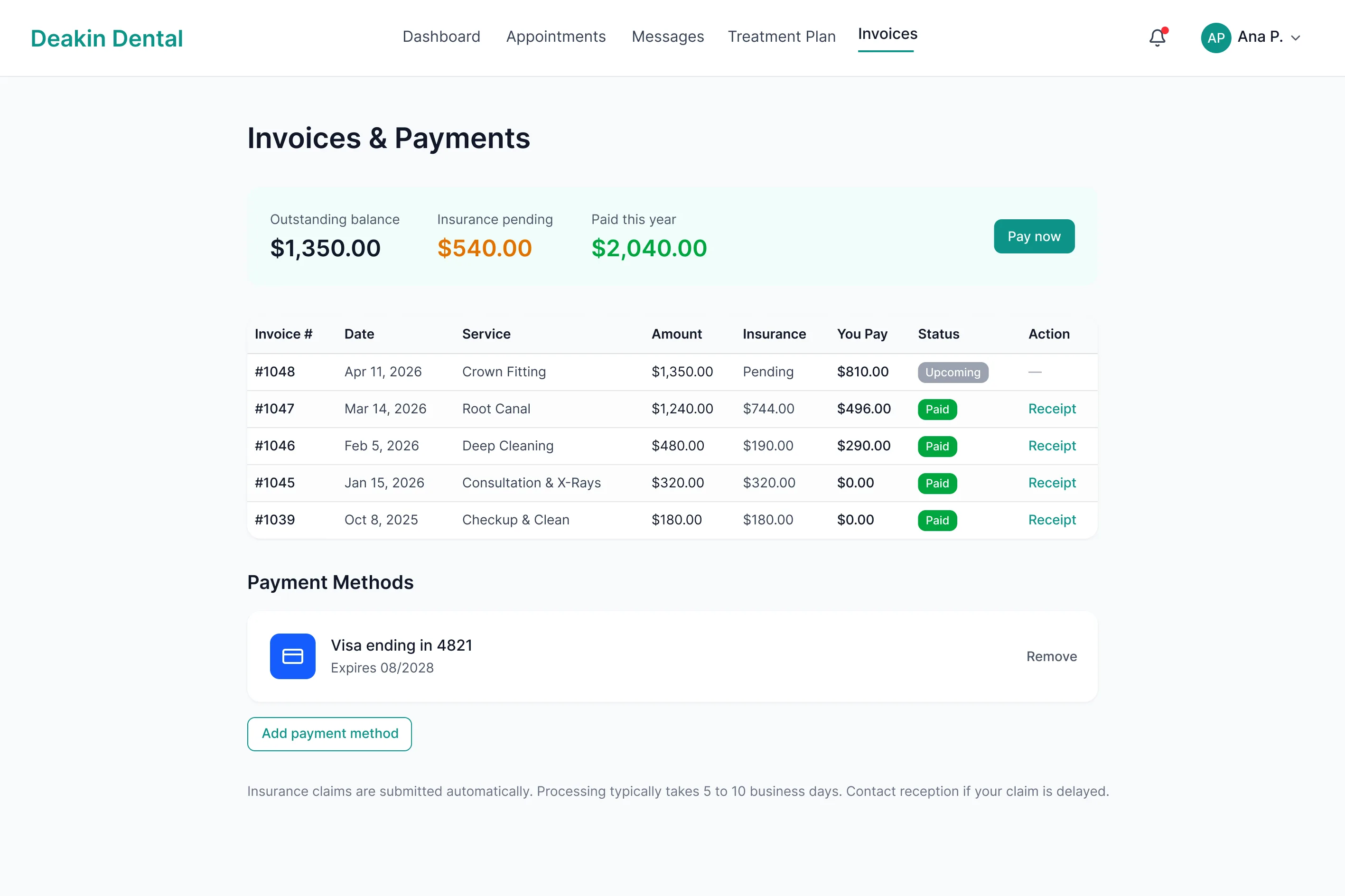
Receives an invoice email. Wants to check what it covers before paying and see her outstanding balance.
PDF invoices sent via email. No breakdown of what has been claimed through insurance. Payment requires calling or visiting in person.
Invoice detail in the portal with an itemised breakdown. Outstanding balance visible at a glance. Pay online in two clicks.
Structure
How the portal is organised
Seven areas: dashboard, appointments, messages, treatment, invoices, profile and notifications.
Booking
A three step booking flow
Select service
Choose from general check up, clean, specific treatment, or "Not sure, help me decide." Service cards include an indicative price range.
Decision point: new and existing patients route here
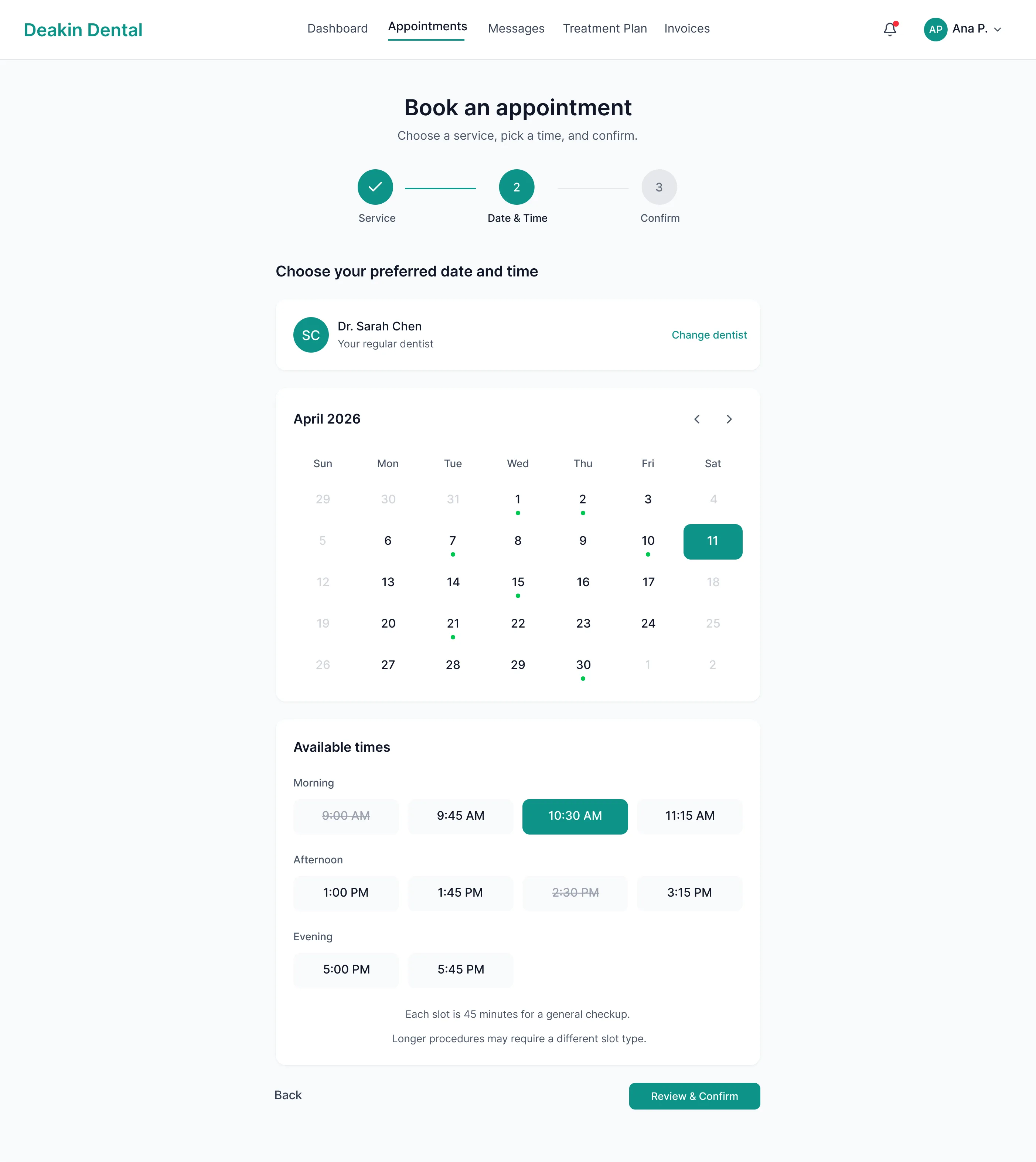
Choose date and time
Calendar with real time availability. Morning, afternoon, and evening slots. First available date highlighted automatically.
No login required at this step
Confirm and create account
Name, email, phone. The account is created automatically after confirmation. The welcome email includes the intake form link and portal access.
Existing patients skip to step 2 via logged in rebook
Decisions
Four decisions that shaped the product
-
01
Two booking paths
New patients need education, price clarity and trust. Returning patients want speed and already know their dentist. So a public booking page serves first timers, and a logged in rebook shortcut takes returning patients straight to date and time.
One size fits all flow- Existing patients wade through service descriptions they do not need.
- New patients lack context and price clarity.
Split by patient type- New patients get service education and indicative pricing.
- Returning patients skip to step 2.
-
02
Treatment plan as a timeline, not a table
A table of procedures answers what, not where am I. A vertical timeline with progress turns the plan into a story: where you have been, where you are, what is next. I have not tested it against a table, and that is the first thing I would test.
-
03
Messaging, not live chat
A dental practice cannot staff real time chat, and a chat that goes unanswered for hours creates more anxiety than none. Asynchronous messaging sets an honest expectation, replies during business hours, while still giving patients a direct line to the practice. No ticket numbers, no chatbot, just a thread between a patient and their dentist's practice.
-
04
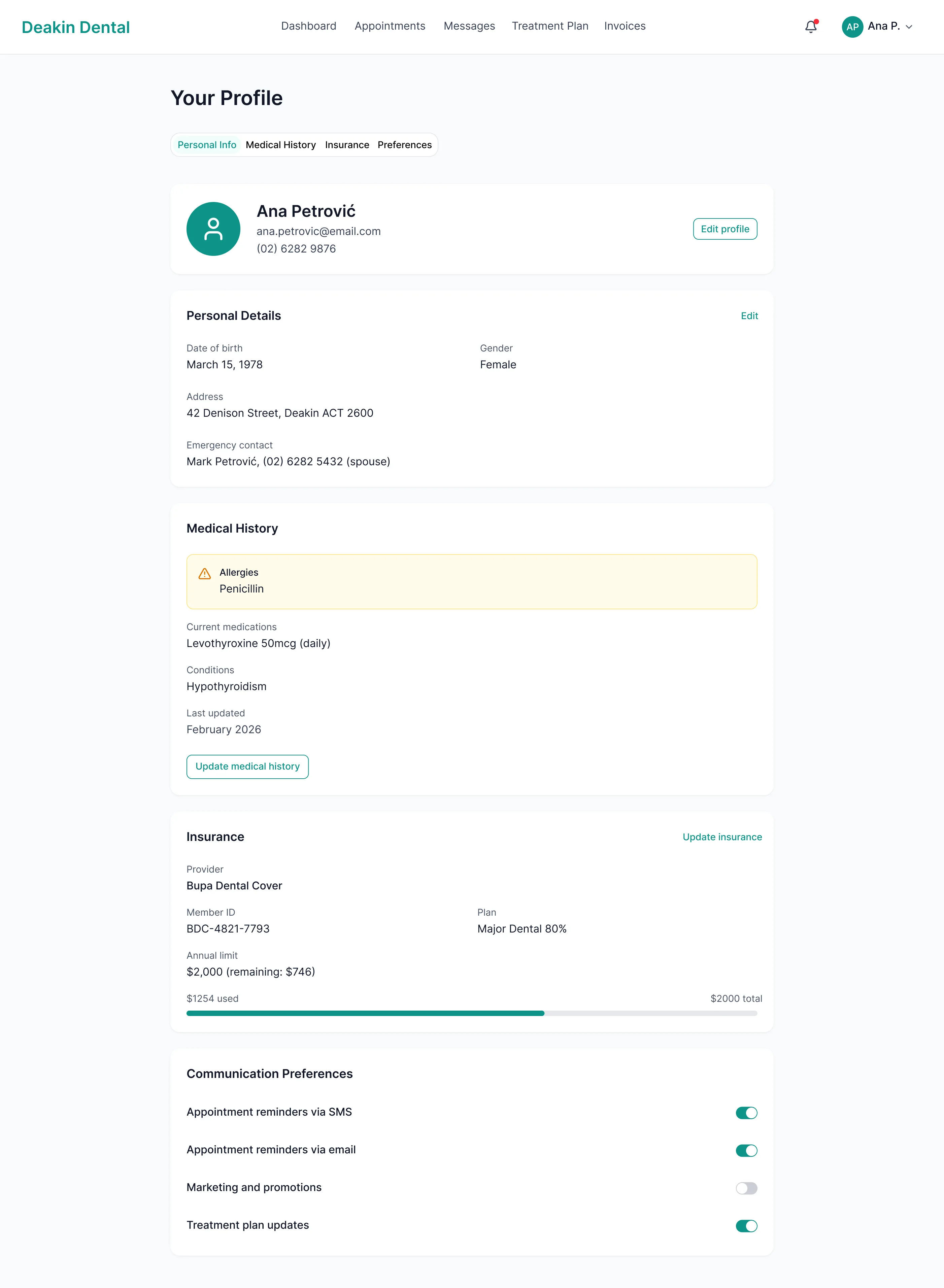
Allergies as a persistent visual warning
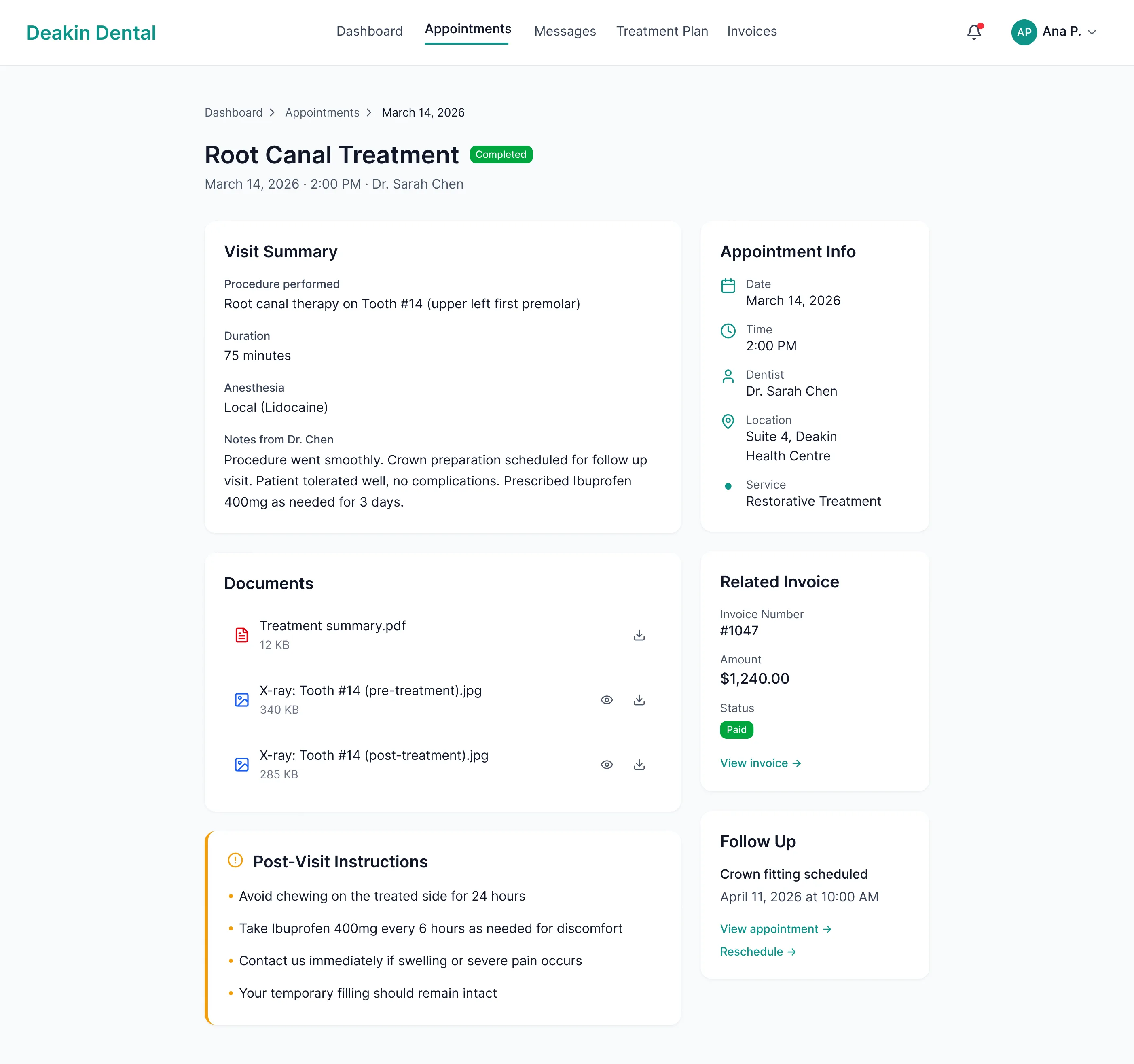
A penicillin allergy appears in amber with a warning icon on the profile, on the appointment detail and in the provider's view of the record. Safety information should be impossible to miss, not buried in a form field. Amber reads as caution, separate from red for errors and green for success.
Allergy: Penicillin. Shown on profile, appointment view and provider record.
Screens
Ten screens
Each screen carries one decision.
Public
Portal
Mobile and onboarding
Continuity
From marketing site to portal
A calm marketing site earns trust before the first visit. The portal has to carry the same palette, whitespace rhythm and tone, so moving from one to the other feels like continuity, not a product switch. The accent that anchors the hero button becomes the progress indicator on the treatment timeline.
Marketing site
Calm layout and trust signals. Goal: turn anxious visitors into booked patients.
Patient portal
The same accent as a progress indicator, the same whitespace rhythm. Goal: give patients control of their ongoing care.
Design intent
What the design is built to do
- A new patient can go from the practice page to a confirmed booking in three steps, without creating an account first.
- A returning patient can rebook in two steps.
- Scheduling, treatment questions and billing can move into the portal, so the front desk handles fewer routine calls.
- Safety information such as allergies stays visible wherever it matters.
These are design targets. I have not measured them.
Reflection
What I would do differently
With more time
I would test the timeline against a table with real patients, run a formal accessibility check, and explore a companion mobile app with appointment reminders and aftercare notifications. I would also design the provider side: the dentist's view of records, scheduling and incoming messages. The patient portal is half the product. The other half lives behind the clinic's login.
What I learned
Healthcare design makes you hold two things at once: the product has to feel calm and human, and it has to be clinically precise. The allergy warning is the clearest case. The decision was functional as much as aesthetic, and every colour choice carries more weight when the stakes are someone's health.
CodeLion →
Premium positioning carried by the aesthetic instead of the copy.