
CodeLion
An onboarding flow built on the premise that first-session activation is the only metric that matters for early-stage SaaS. A bold dark identity, a single path from signup to first useful output, and a product surface designed to be defended in a stakeholder review.
Given: an existing agency brand and a productised SaaS product. Designed: the onboarding flow, from landing page to first project creation.
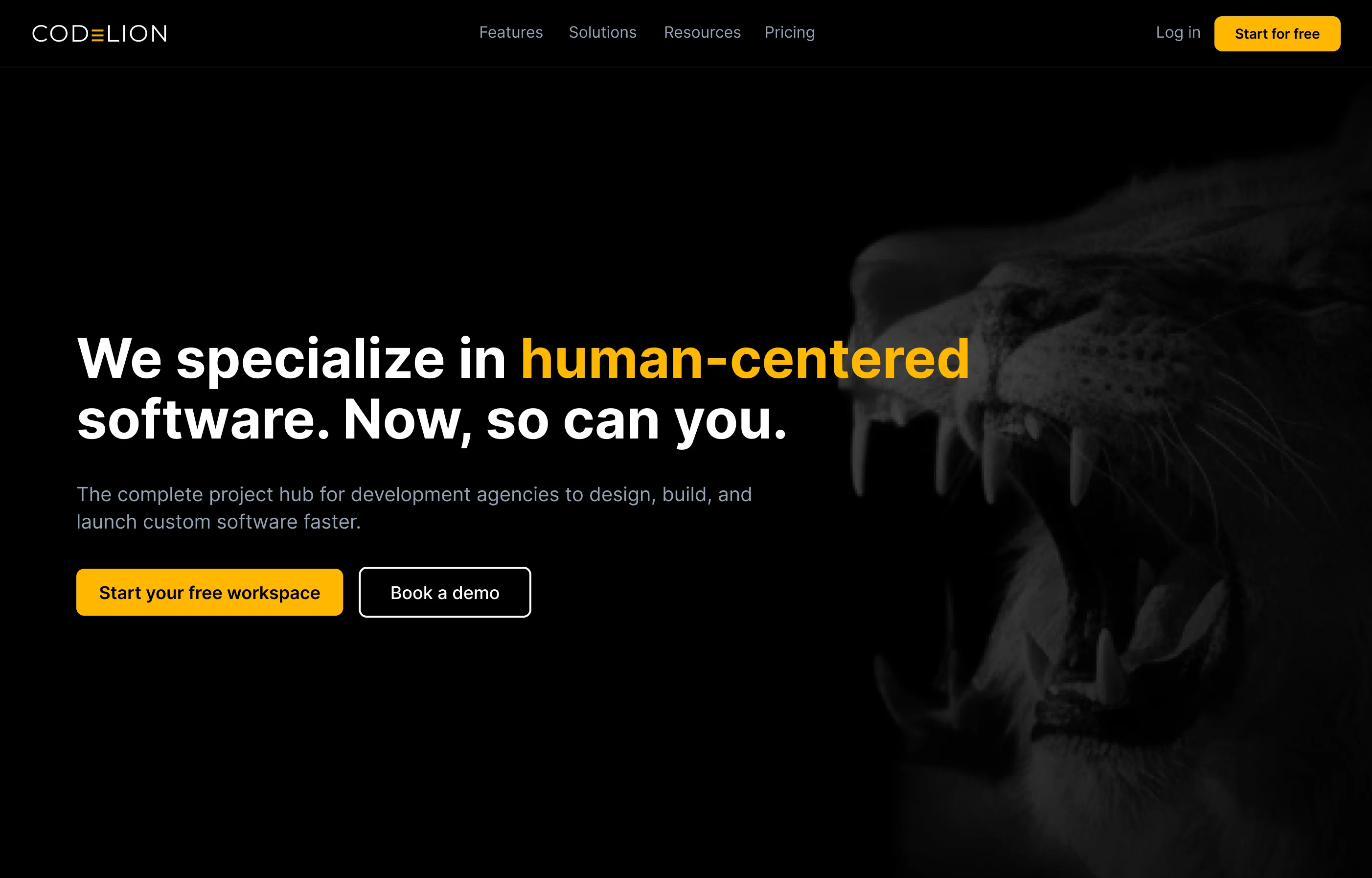
B2B SaaS products for developers are notoriously complex to set up. Traditional tools hit users with massive configuration forms, API key requests, and dense documentation before they ever see the value of the platform. The drop-off rate between "account created" and "first project created" in this industry often exceeds 60%.
CodeLion needed to be different. The challenge was to take a robust, technical project hub and make the onboarding feel as lightweight as a consumer app: capture crucial workspace data (team roles, tech stacks) without making it feel like a chore, and guide the user to their first "aha" moment as rapidly as possible, all while maintaining the brand's premium, authoritative aesthetic.
CodeLion built custom software for years. To scale, they productised their internal tools into a B2B SaaS for other agencies and dev teams. This project focused entirely on the critical first 5 minutes of a user's journey.
Competitive analysis
I audited Linear, Jira, Asana, and Vercel to map their onboarding flows. Vercel's frictionless GitHub-auth-to-deploy pipeline was identified as the gold standard for developer experience.
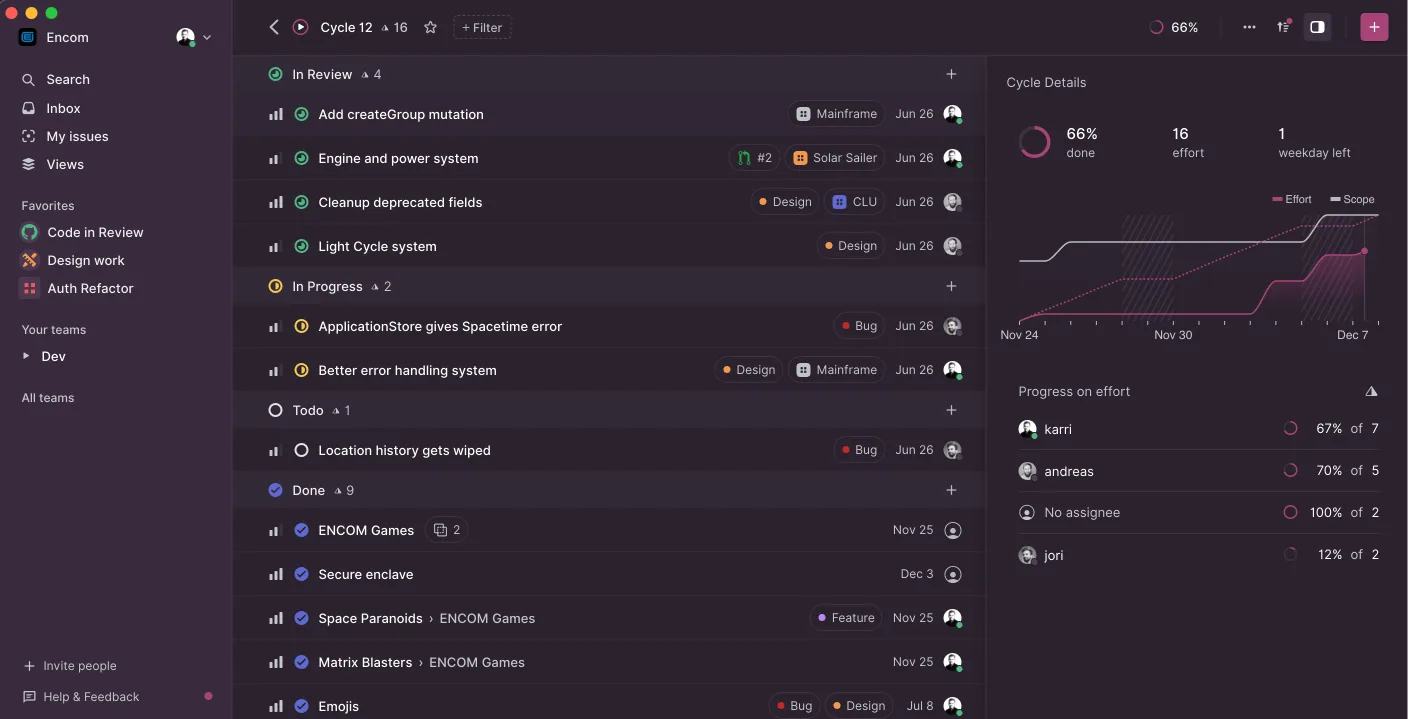
Linear
Developer-first project management with streamlined onboarding. Strong focus on issue tracking and team collaboration.
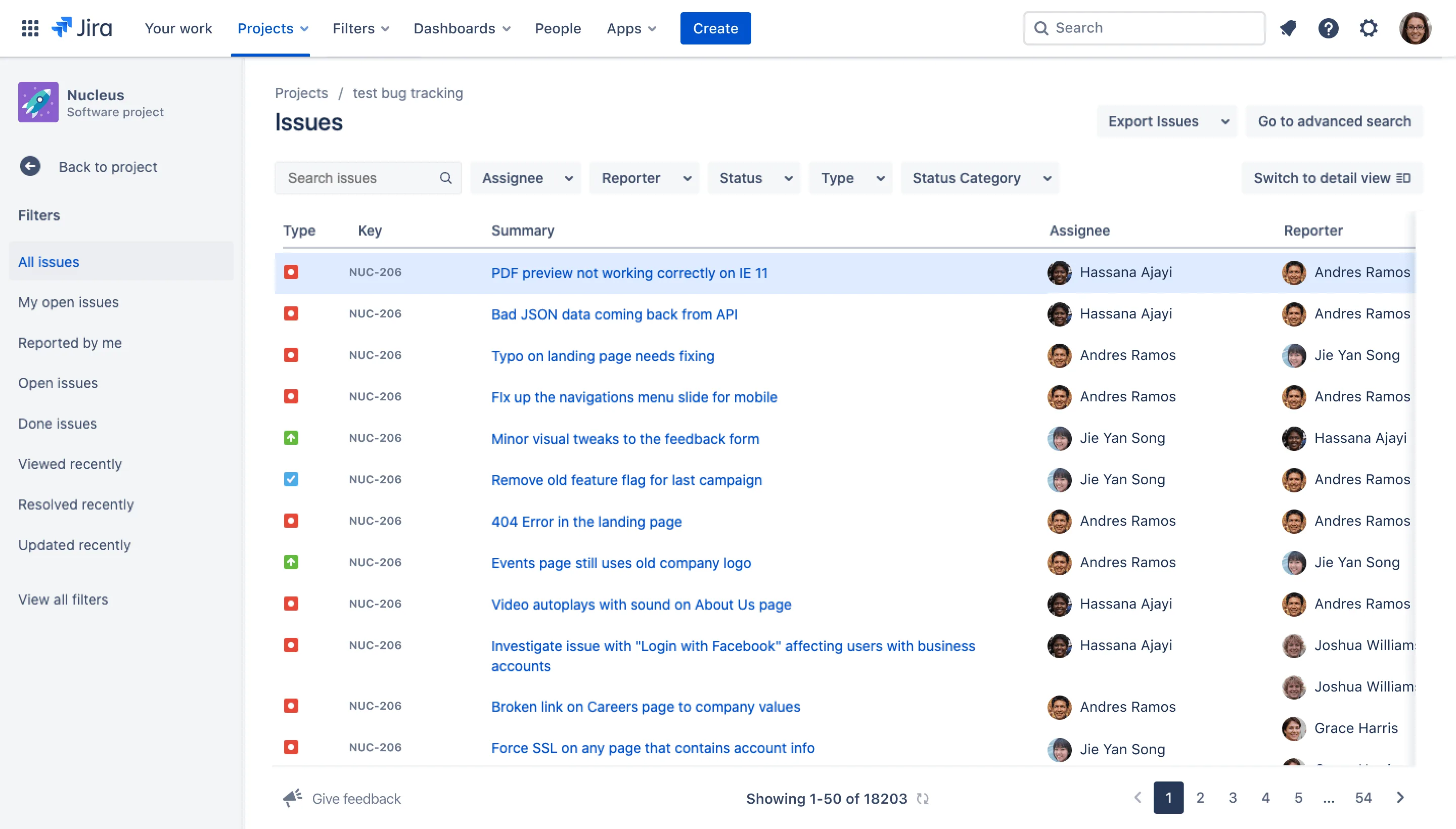
Jira
Enterprise-grade project management. Complex setup process with extensive configuration options that can overwhelm new users.
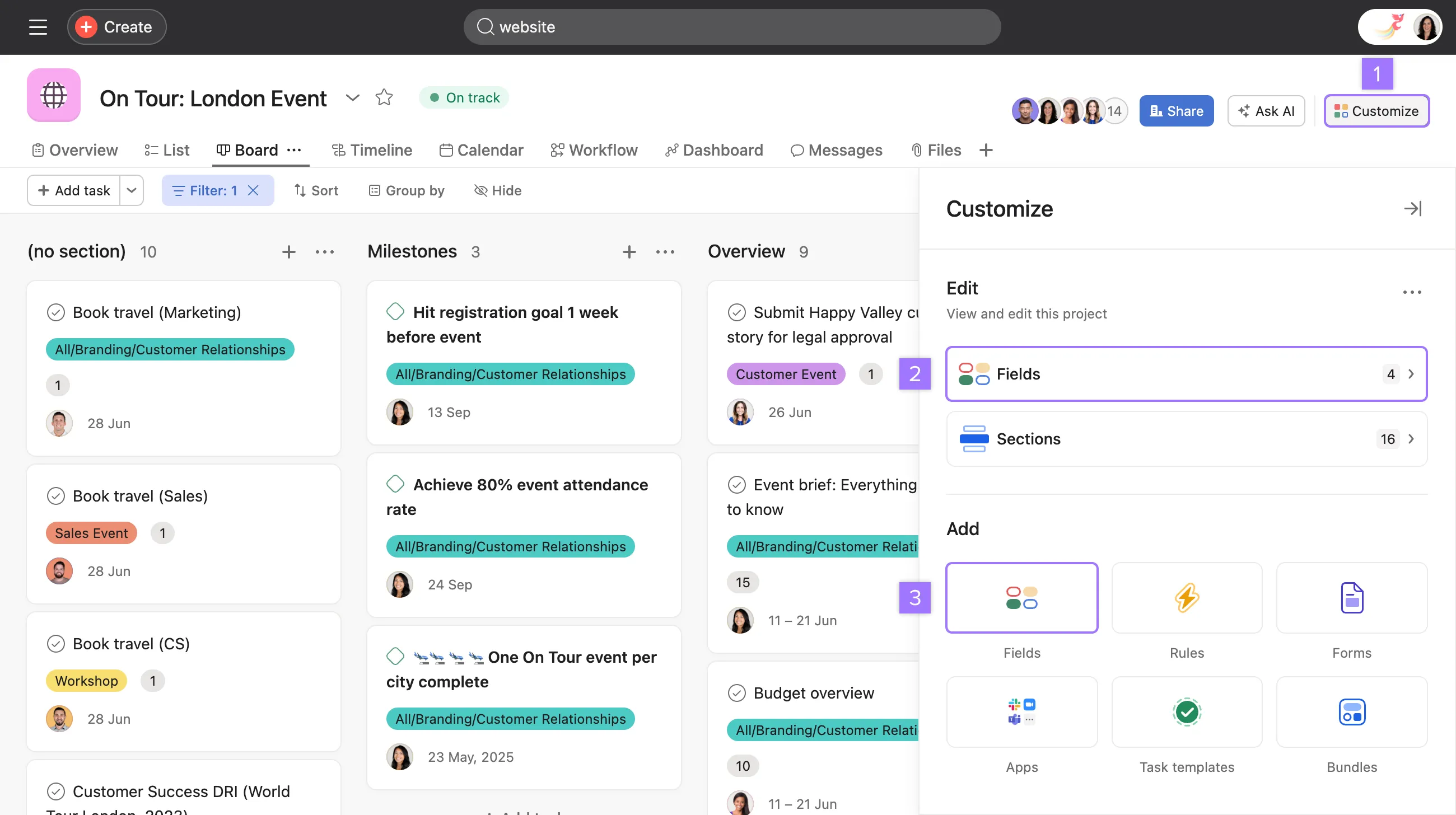
Asana
Team collaboration and task management. Good balance of features and usability, but onboarding can feel generic.
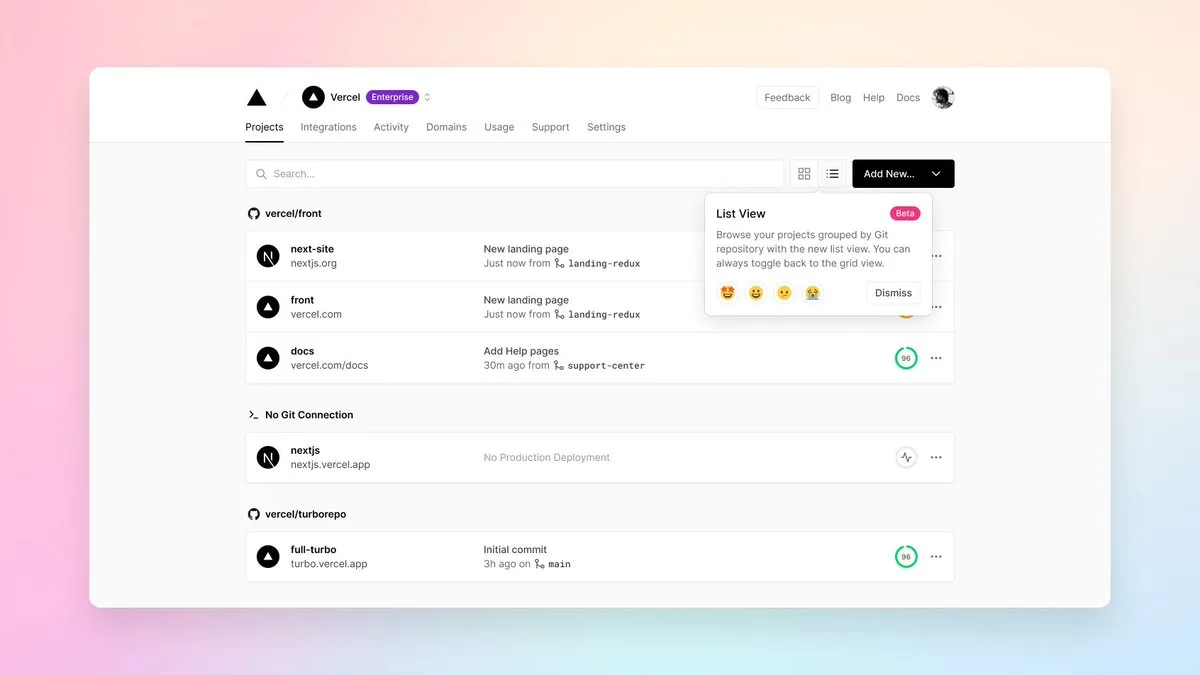
Vercel
Gold standard for developer onboarding. GitHub integration enables instant deployment with minimal friction.
| Criteria | Linear | Jira | Asana | Vercel | CodeLion |
|---|---|---|---|---|---|
| Onboarding speed | Fast | Slow | Moderate | Very fast | Lightning |
| Developer focus | Excellent | Good | Moderate | Excellent | Premium |
| Configuration depth | Moderate | High | Moderate | Low | Progressive |
| Dark mode | Yes | Limited | Yes | Yes | Signature |
User interviews
Spoke with 5 agency leads and developers about their frustrations adopting new tools. Key insight: developers hate forced tours and generic empty states. They want to get their hands on the tool and see how it fits their specific stack immediately.
Runs a boutique development agency specialising in React and Node.js projects. Manages 8 active client projects and oversees a team of 12 developers. Evaluates 3–4 new tools quarterly to improve team efficiency.
Primary goalRapid evaluation and adoption. Needs to assess tool fit for their specific tech stack and workflow within the first 10 minutes. If it doesn't demonstrate immediate value, it gets deprioritised.
Pain points- Wastes hours on tools that look promising but require extensive setup before any value is demonstrated
- Generic onboarding flows don't account for specific tech stacks or team structures
- Forced product tours feel like marketing rather than practical tool introduction
"Show me how this fits my React/Node workflow in the first 5 minutes, or I'm moving on to the next option."
Full-stack developer with 8 years experience. Works across 6 active projects using React, TypeScript, and AWS. Champions new tools within her development team and provides feedback to agency leadership.
Primary goalHands-on tool evaluation. Wants to configure a realistic project setup and see how the tool integrates with their existing development workflow before recommending adoption to the team.
Pain points- Empty dashboards with generic placeholder content don't help assess real-world utility
- Configuration forms that ask for information without explaining why it's needed
- Onboarding flows that don't allow exploration or backtracking
"I need to see this tool working with actual code and real project structures, not marketing screenshots."
Onboarding pipeline map
The critical path from first visit to first value, mapped against the friction points each stage introduces and how the design resolves them.
User lands on site, scans value proposition, compares plans, clicks "Start free trial."
Industry sites overwhelm with feature lists, pricing complexity, and demo-request gates before users can self-serve.
Single focused headline, one CTA. Transparent three-tier pricing with no sales call required. Entry in under 60 seconds.
Select GitHub or Google. One click. Account created. No passwords.
Most B2B tools demand email, password, company name, phone, and team size upfront, before any value is shown.
Zero form fields at auth. Workspace details deferred to progressive profiling. Developer-native GitHub OAuth as the default.
Three bite-sized screens: select role via visual card, choose tech stack, name the workspace. One question per screen.
Industry mega-forms ask 8 to 12 questions on a single page. Drop-off between account creation and first project exceeds 60%.
One question per screen. Large visual card selectors. Feels like a concierge experience, not a form. ~30 seconds total.
Branded transition screen while workspace provisions. Land in the dashboard. Click "Create first project" or load a sample.
Generic spinners kill momentum. Blank dashboards with no guidance intimidate users and stall the "aha" moment indefinitely.
Branded transition builds anticipation. Action-oriented empty state with a sample project template.
From rough to resolved
01 · Information architectureLoading screen
4-second backend processing transformed into a trust-building moment. Lists specific configurations happening in real time.
Turns technical delay into perceived value
Empty dashboard
Clean slate with a massive "Create first project" CTA. Secondary navigation hidden. Sample project template offered.
Allows safe exploration without commitment
Project creation
Streamlined drawer interface with intelligent defaults based on the selected tech stack. Single-click activation.
Designed to trigger immediate first project creation
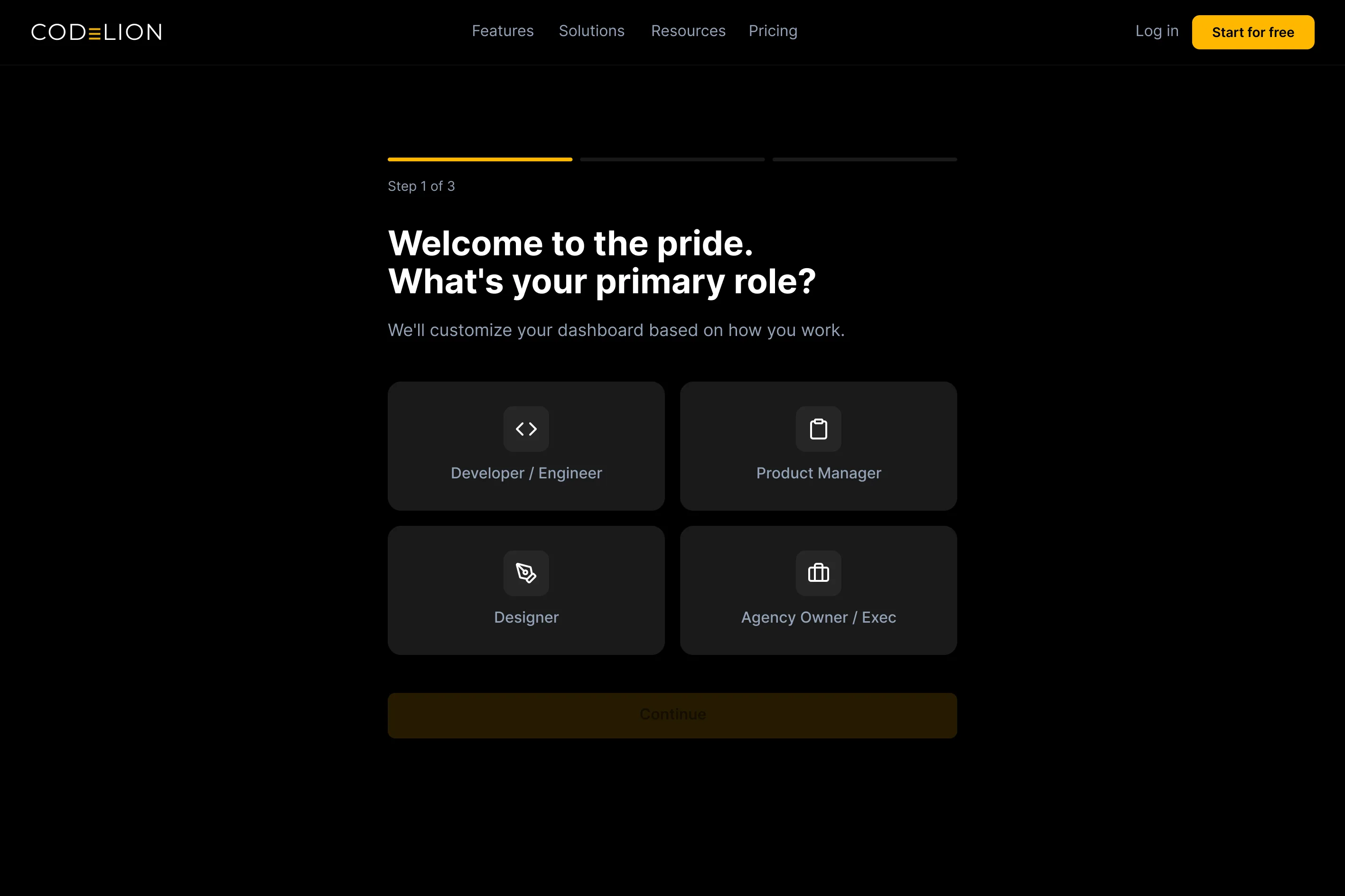
Role selection
First step of progressive profiling. Large visual cards let users self-identify without reading a word of documentation.
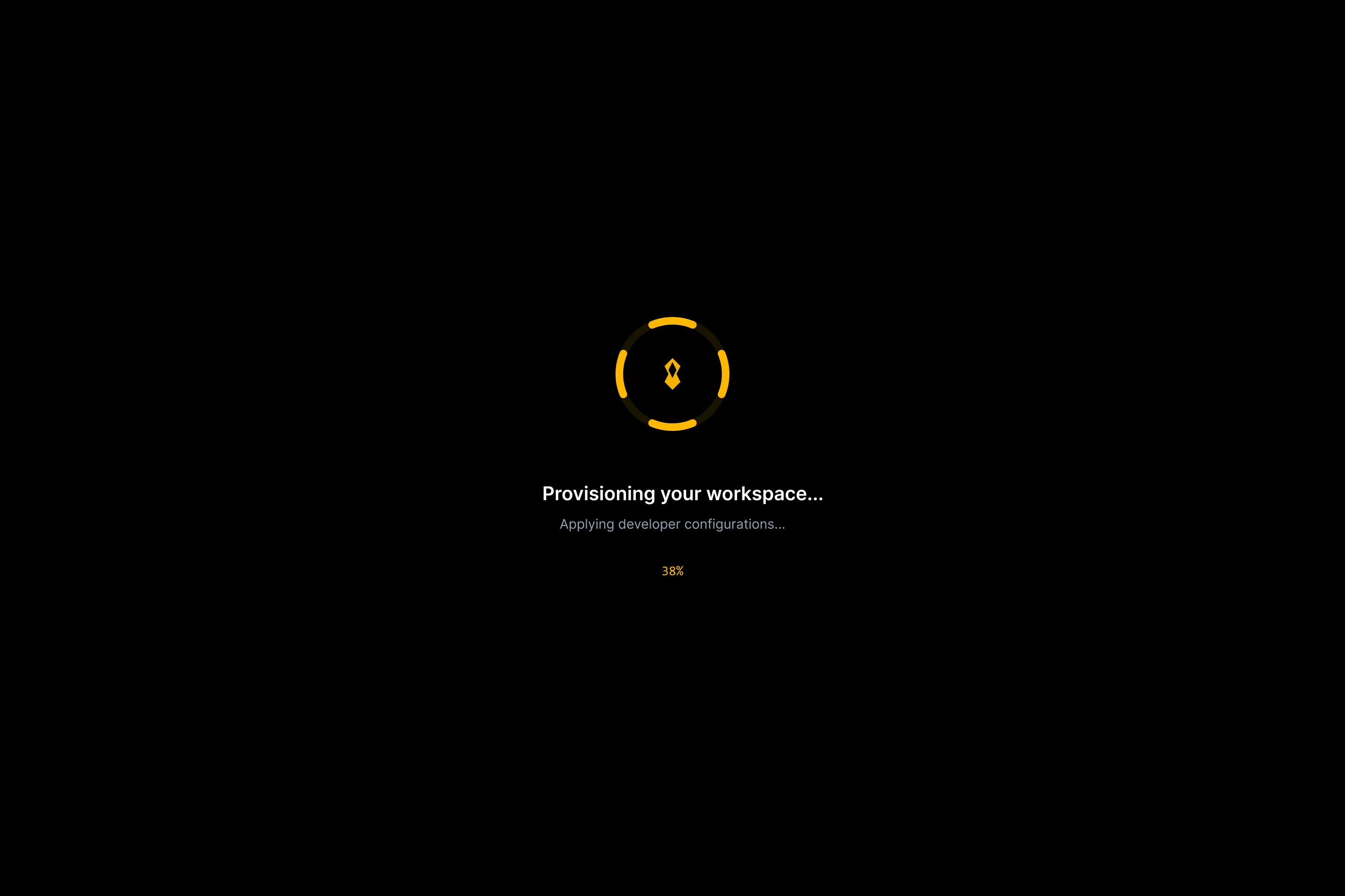
Setup transition
Branded loading sequence turns backend provisioning into trust-building. A 4-second wait becomes a moment of anticipation.
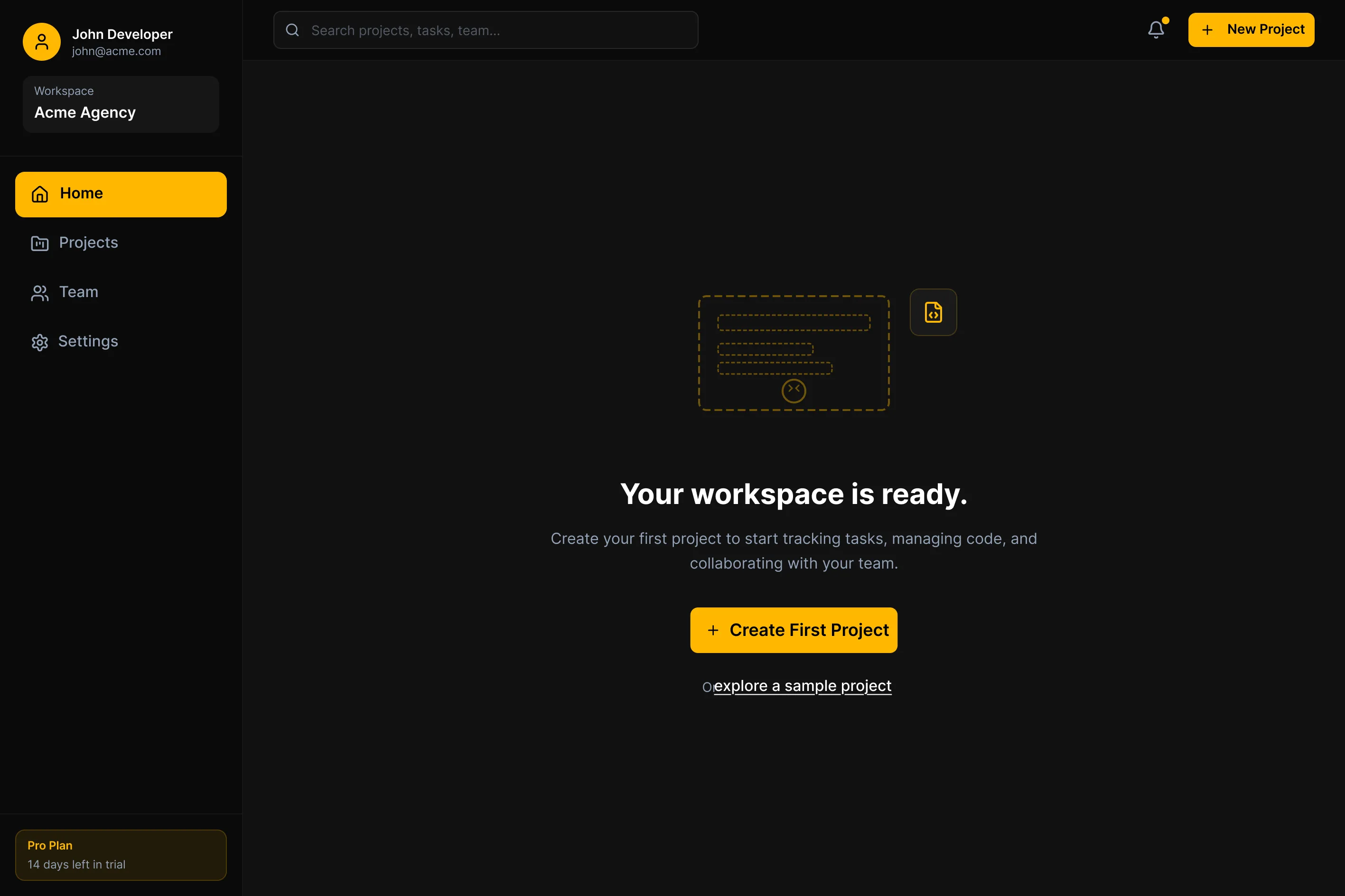
Action-oriented empty state Core
Secondary nav removed. A sample project is offered alongside the blank canvas. The "Create first project" CTA is unmissable.
High-fidelity screens
8 screens covering the complete SaaS onboarding pipeline, from landing page to first project creation. Each screen embodies the progressive profiling approach that reduces friction and builds momentum.
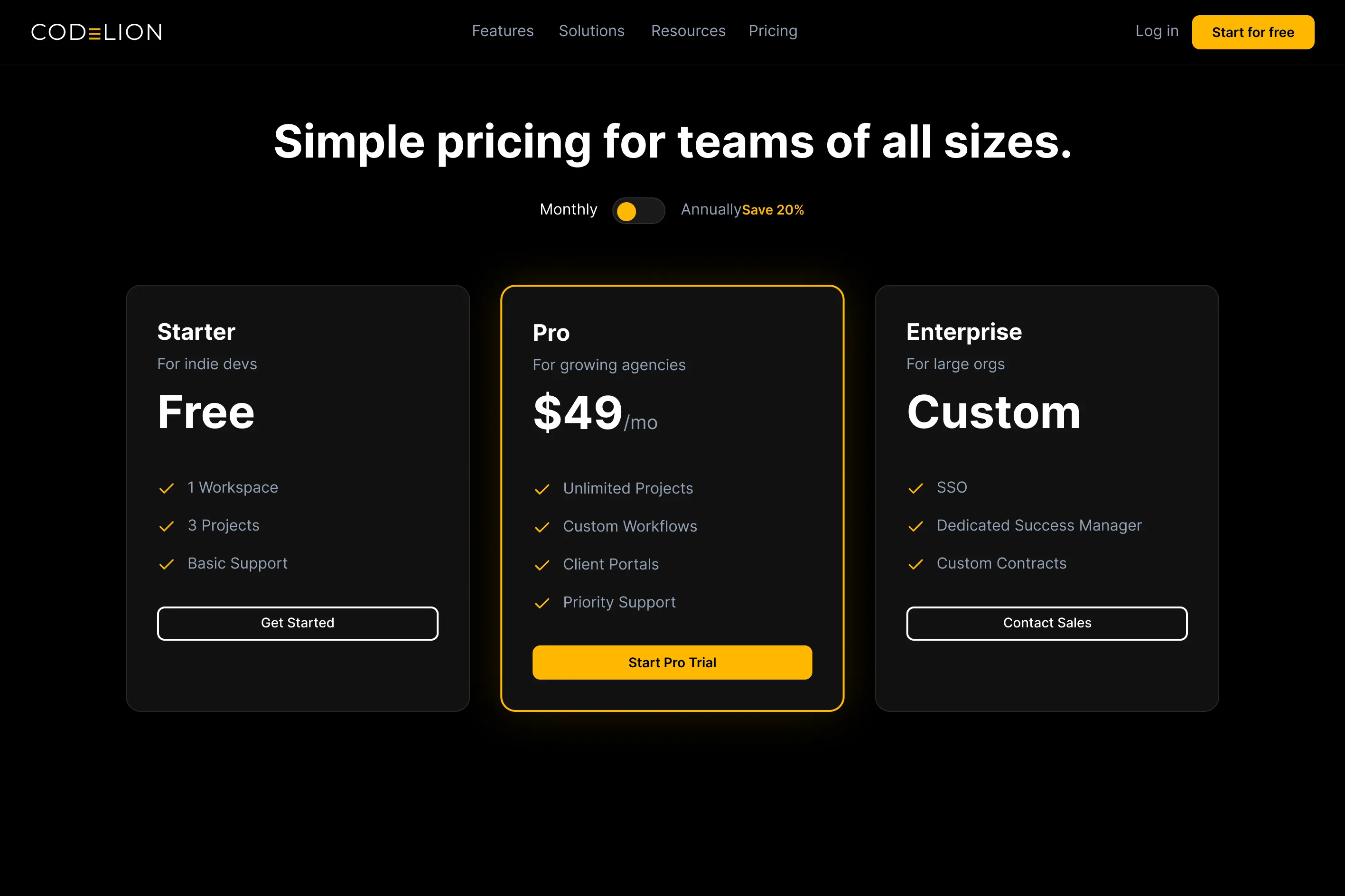
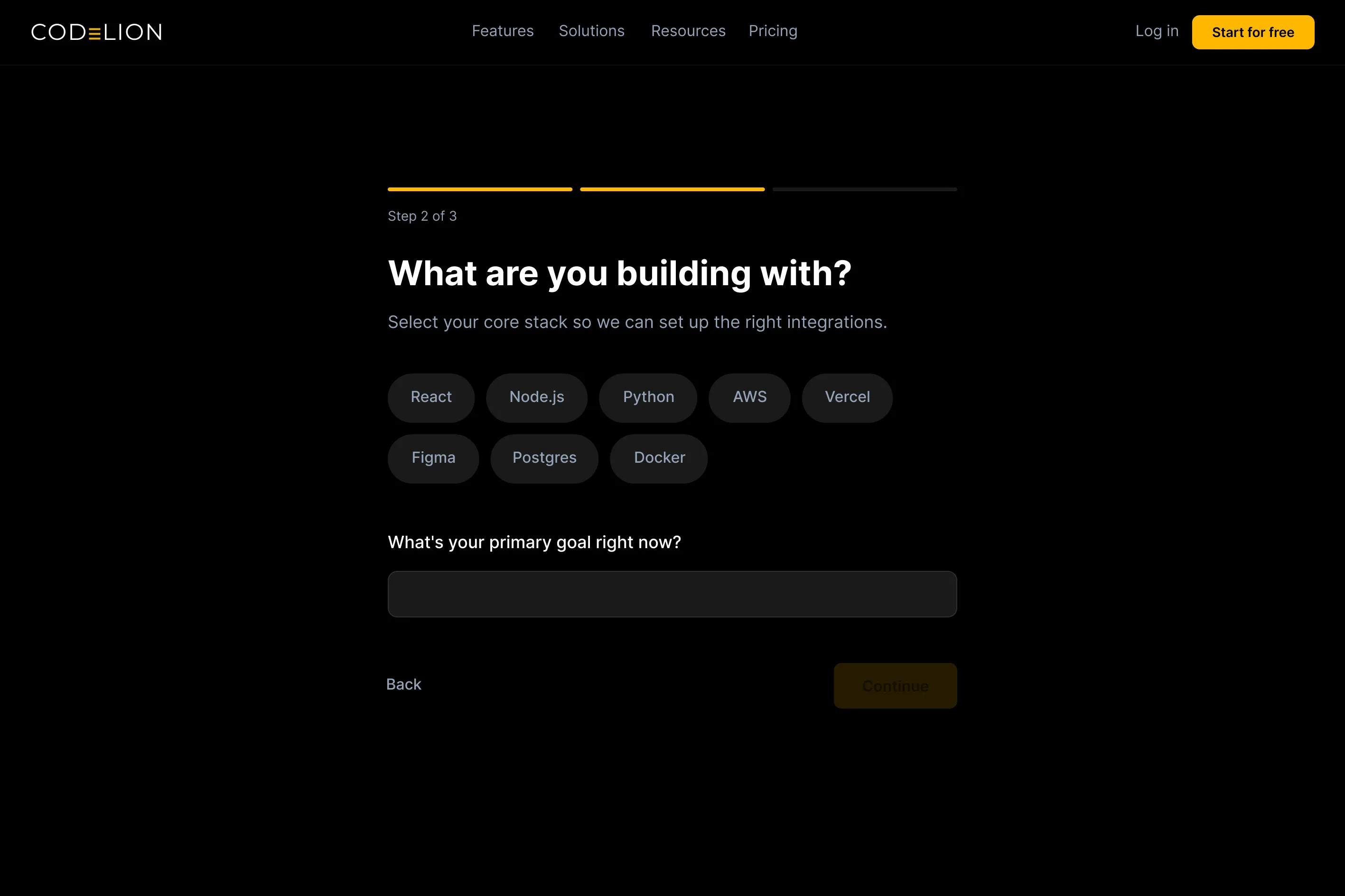
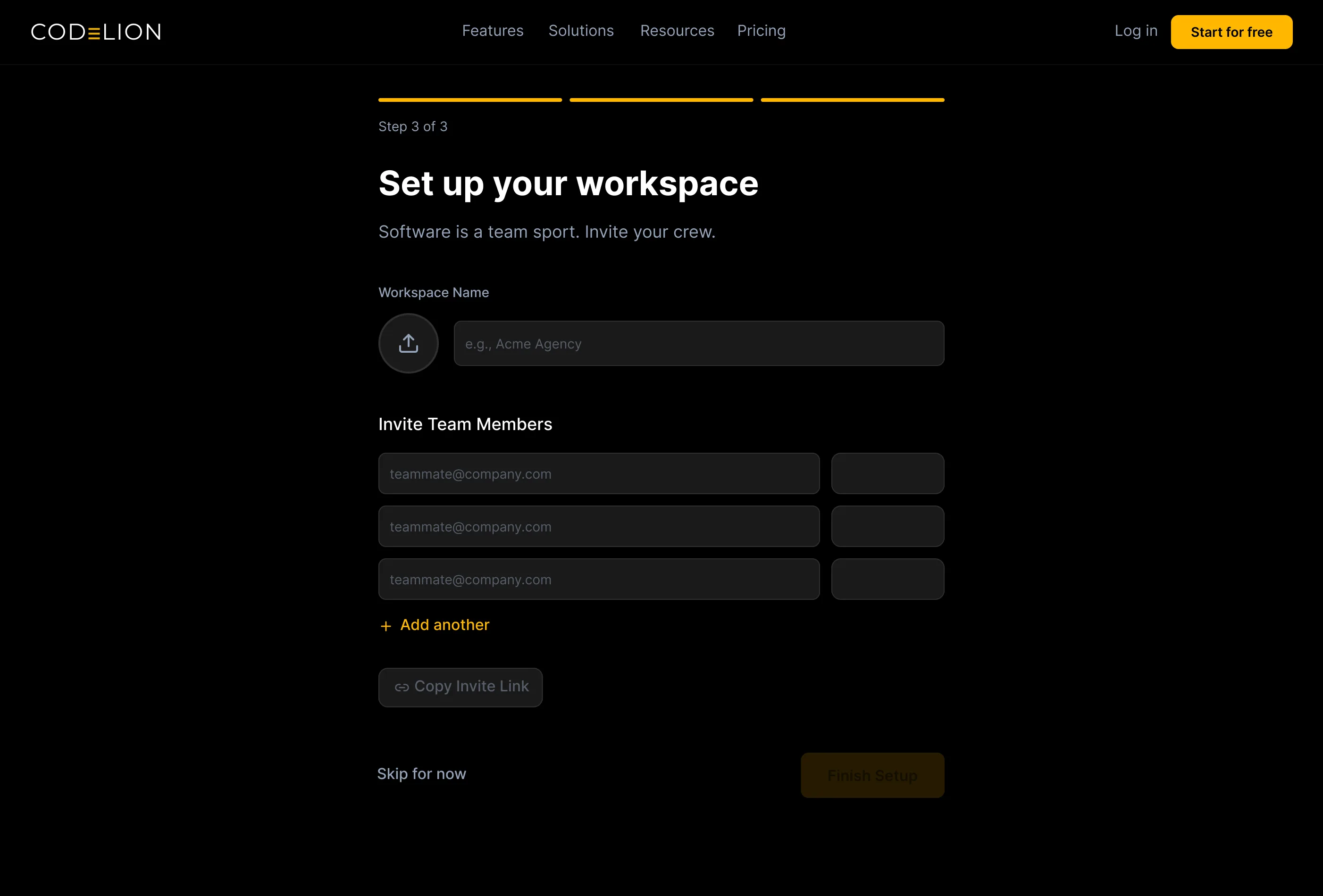
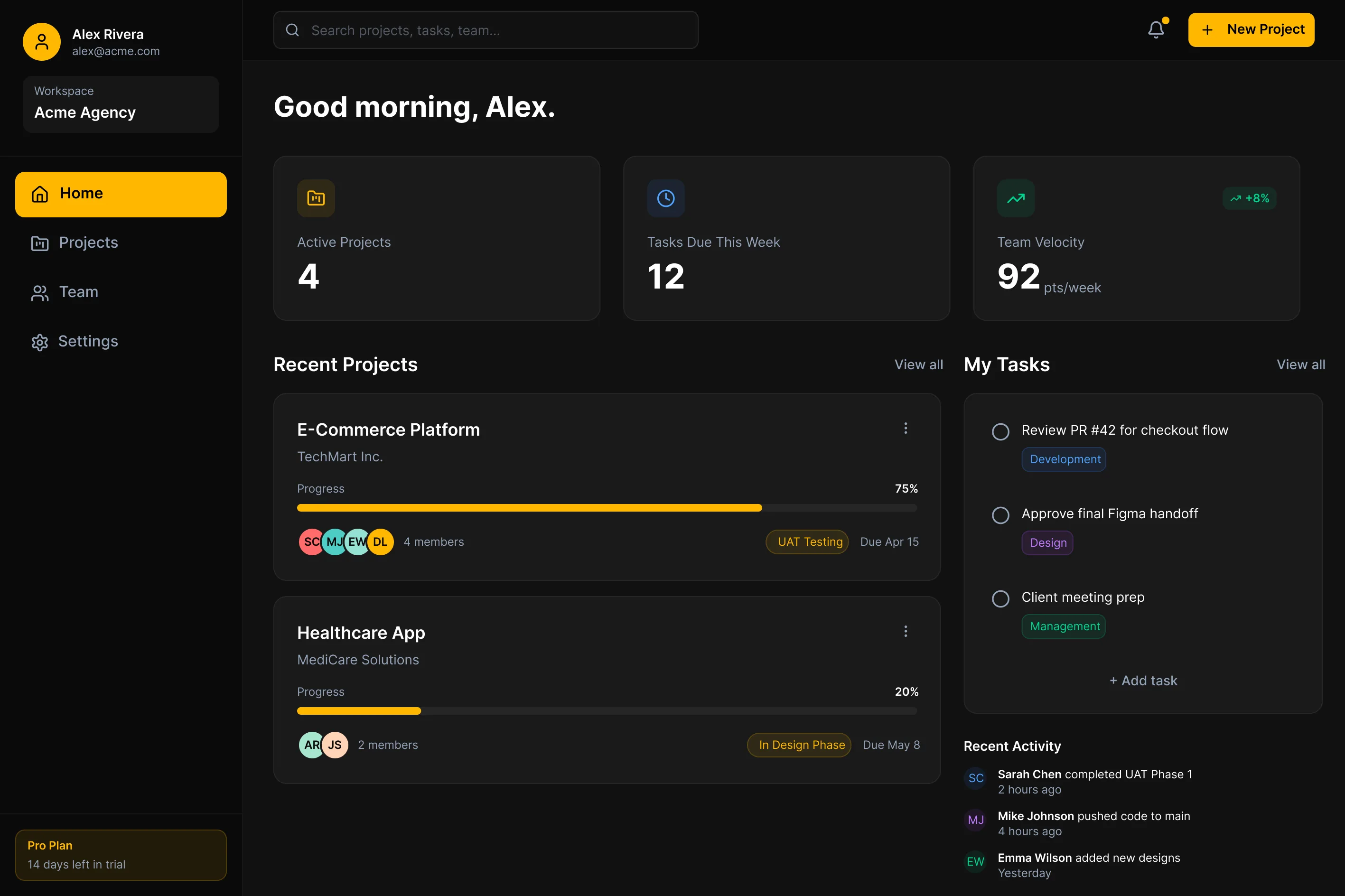
Four choices that shaped the pipeline
Progressive profiling over mega-forms
Instead of a single page asking for 10 pieces of information, onboarding was broken into three distinct, bite-sized screens (role, stack, workspace). Large, visual selectable cards instead of standard dropdowns reduced perceived cognitive load and made setup feel like a concierge service rather than a registration form.
- Company name
- Role / title
- Team size
- Primary tech stack
- 5–10 additional config fields
- Select your role (visual cards)
- Select your stack (visual cards)
- Name your workspace
The "setup transition" screen
Creating a workspace on the backend takes roughly 4 seconds. Instead of a standard spinner, a branded, animated transition screen lists the specific configurations happening in real time: "Provisioning workspace…", "Applying developer configs…", "Setting up your React environment…" This turns a waiting period into a moment that builds anticipation and trust.
Action-oriented empty states
An empty dashboard is intimidating. All secondary navigation was removed from the empty state and a massive, unmissable "Create first project" CTA was centred. Offering a "Sample project" template alongside the blank canvas let hesitant users safely explore the UI without the pressure of inputting real data yet.
Purposeful dark mode
The dark UI wasn't just an aesthetic choice, it was a core user requirement. Developers spend hours looking at screens. Deep blacks rather than standard dark greys maximise contrast with the primary accent, ensuring CTAs naturally draw the eye without needing excessive size. The result feels authoritative, not aggressive, and extends the CodeLion agency brand into a credible B2B software product.
Projected outcomes
As a concept project, impact is measured against industry benchmarks and research-validated design standards rather than live analytics data.
The progressive profiling flow was designed to reach a working dashboard in under 60 seconds, against a 3+ minute industry standard.
Industry drop-off between account creation and first active project exceeds 60%. This flow targets activation above that threshold.
The dark-mode aesthetic seamlessly carried the premium feel of the CodeLion agency brand into a credible B2B software product.
Industry drop-off between account creation and first project often exceeds 60%. The 4-step progressive flow with visual cards reduces this friction significantly.
The branded transition screen transforms backend processing time into a trust-building moment, showing users exactly what's being configured in real time.
Action-oriented empty states with sample projects remove the intimidation factor of blank dashboards, letting users explore without commitment.
What I would do differently
Usability testing with real development teams going through the onboarding flow. The progressive profiling decisions carry assumptions about user patience and information hierarchy that even three moderated sessions would validate. I would also A/B test role selection interfaces and measure completion across different tech stack combinations.
I would integrate "Invite team" directly into the "Create first project" drawer, rather than asking for emails during the initial onboarding flow. Champions often want to test a tool by themselves before risking social capital by inviting their entire team. Removing that friction point could speed up the initial "aha" moment further.
Senyu →
Menu architecture and inline booking inside one dark, slow page.